














-
 bitcoin
 $83653.336055 USD
-0.69% - ethereum
$2526.767249 USD
-1.89% - tether
$0.998732 USD
-0.02% - bnb
$744.116997 USD
-1.46% - xrp
$1.373106 USD
-2.94% - usd-coin
$0.999930 USD
0.00% - solana
$108.107606 USD
-4.13% - tron
$0.329421 USD
-0.68% - hyperliquid
$82.951678 USD
-5.54% - zcash
$1213.361655 USD
-8.84% - dogecoin
$0.084704 USD
-3.29% - monero
$539.250772 USD
0.81% - chainlink
$13.033689 USD
-2.89% - cardano
$0.238848 USD
-5.73% - unus-sed-leo
$8.898688 USD
0.13%











How does Web3 wallet participate in community decision-making in DAO governance?
Web3 wallets empower individuals to participate actively as members of DAOs through secure access, voting rights management, proposal engagement, and transparent transaction tracking.
Oct 22, 2024 at 02:41 pm
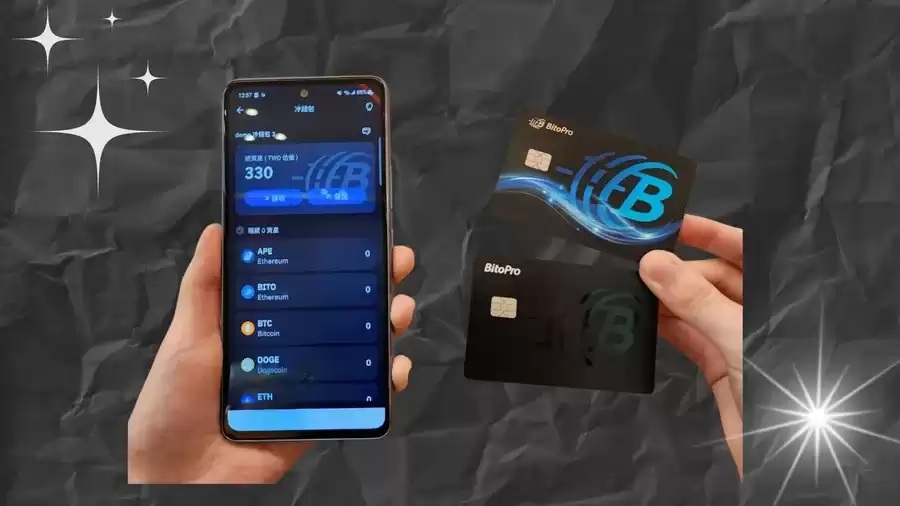
How Web3 Wallets Participate in Community Decision-Making in DAO Governance
Decentralized Autonomous Organizations (DAOs) are emerging as powerful tools for self-governance and collective decision-making within the Web3 ecosystem. Web3 wallets play a crucial role in enabling DAO members to participate in these governance processes.
1. Access to the DAO Platform
Web3 wallets provide a gateway for users to access DAO platforms and interact with their governance mechanisms. Users can connect their wallets to a specific DAO's website or application using protocols like Web3Connect or Metamask.
2. Holding DAO Governance Tokens
In many DAOs, members hold governance tokens that represent their voting power. Web3 wallets serve as custodians for these tokens, allowing users to securely store and manage their assets. Each token represents a certain number of voting rights within the DAO.
3. Voting on Proposals
Web3 wallets enable DAO members to cast their votes on governance proposals. Proposals can address various aspects of the DAO, such as budget allocation, platform development, or community initiatives. By using a secure voting mechanism integrated with the wallet, members can express their preferences and contribute to decision-making.
4. Engaging in Discussion Forums
Some DAOs have integrated discussion forums or chat groups into their platforms. Web3 wallets provide access to these communication channels, allowing members to engage in community discussions, ask questions, and share their perspectives on governance issues.
5. Tracking Proposal Results and Execution
Web3 wallets allow users to monitor the progress of governance proposals and track their execution. Members can view the status of proposals, the voting results, and any discussions or updates related to their implementation.
6. Participatory Governance with Reduced Barriers
Unlike traditional shareholder voting systems, DAOs leverage Web3 wallets to lower barriers to participation. With a decentralized structure, there are no geographical or membership restrictions, empowering a global community to engage in decision-making.
7. Enhancing Transparency and Accountability
Web3 wallets help foster transparency within DAOs. The blockchain technology underlying Web3 ensures that governance transactions and voting records are publicly available and verifiable. This creates a chain of evidence that promotes accountability and minimizes the potential for fraud.
Conclusion
Web3 wallets play a vital role in enabling community decision-making in DAO governance. They provide secure access to governance platforms, facilitate voting, promote communication, and enhance transparency and accountability. By empowering DAO members to participate actively, Web3 wallets contribute to the collective decision-making and the self-governance of decentralized communities.
Disclaimer:info@kdj.com
The information provided is not trading advice. kdj.com does not assume any responsibility for any investments made based on the information provided in this article. Cryptocurrencies are highly volatile and it is highly recommended that you invest with caution after thorough research!
If you believe that the content used on this website infringes your copyright, please contact us immediately (info@kdj.com) and we will delete it promptly.






- 2027 ASEAN SHOP Set to Revolutionize Retail in Southeast Asia, While Blur NFT Marketplace Fades
- 2026-10-14 04:35:01
- Blockchain.com Eyes U.S. Derivatives Market with CFTC License Pursuit, Following Coinbase's Regulatory Milestone
- 2026-10-14 04:50:01
- UK Court Ruling Sends Ripples: Who Owns the Gains on Stolen BTC?
- 2026-10-13 12:50:01
- Standard Chartered Taps XRP Ledger for RLUSD Custody, Signaling Institutional Embrace
- 2026-10-13 12:35:01
- Securitize Stock Soars on StoneX Target Hike and Innovative Platform Launch
- 2026-10-13 08:45:01
- Bitcoin, CPI Week, and Pepeto: Navigating Market Volatility for Potential Gains
- 2026-10-13 04:55:02
Related knowledge

How to Transfer Bitcoin From SafePal to Ledger for Long-Term Cold Storage?
Oct 03,2026 at 02:19am
Preparation Before Transfer1. Verify that your SafePal wallet is fully updated and supports exporting private keys or signing transactions offline. 2....

How to Connect SafePal Wallet to a New DeFi Platform and Review Transaction Permissions?
Oct 08,2026 at 08:19am
Connecting SafePal Wallet to a DeFi Platform1. Open the SafePal mobile application and ensure it is updated to version 4.8.2 or higher. 2. Navigate to...

How to Restore a SafePal Wallet With Your Recovery Phrase After Reinstalling the App?
Oct 05,2026 at 11:40pm
Understanding SafePal Wallet Recovery Mechanics1. SafePal wallets rely exclusively on BIP-39 standard mnemonic phrases for deterministic key derivatio...

How to Swap BNB for USDC in SafePal Without Selecting the Wrong Blockchain?
Oct 12,2026 at 09:00pm
Understanding BNB and USDC Chain Compatibility1. BNB exists in two primary forms: the native BNB token on BNB Beacon Chain (formerly Binance Chain) an...

How to Set Up a SafePal Software Wallet and Connect It to a Hardware Device?
Oct 11,2026 at 07:20am
Creating a SafePal Software Wallet1. Download the official SafePal app from the Apple App Store or Google Play Store—avoid third-party links to preven...

How to Export Your Atomic Wallet Transaction Records for Tracking Crypto Profits?
Oct 11,2026 at 01:40pm
Exporting Transaction History via Atomic Wallet Desktop Application1. Launch the Atomic Wallet desktop client on Windows, macOS, or Linux. 2. Navigate...
How to Transfer Bitcoin From SafePal to Ledger for Long-Term Cold Storage?
Oct 03,2026 at 02:19am
Preparation Before Transfer1. Verify that your SafePal wallet is fully updated and supports exporting private keys or signing transactions offline. 2....
How to Connect SafePal Wallet to a New DeFi Platform and Review Transaction Permissions?
Oct 08,2026 at 08:19am
Connecting SafePal Wallet to a DeFi Platform1. Open the SafePal mobile application and ensure it is updated to version 4.8.2 or higher. 2. Navigate to...
How to Restore a SafePal Wallet With Your Recovery Phrase After Reinstalling the App?
Oct 05,2026 at 11:40pm
Understanding SafePal Wallet Recovery Mechanics1. SafePal wallets rely exclusively on BIP-39 standard mnemonic phrases for deterministic key derivatio...
How to Swap BNB for USDC in SafePal Without Selecting the Wrong Blockchain?
Oct 12,2026 at 09:00pm
Understanding BNB and USDC Chain Compatibility1. BNB exists in two primary forms: the native BNB token on BNB Beacon Chain (formerly Binance Chain) an...
How to Set Up a SafePal Software Wallet and Connect It to a Hardware Device?
Oct 11,2026 at 07:20am
Creating a SafePal Software Wallet1. Download the official SafePal app from the Apple App Store or Google Play Store—avoid third-party links to preven...
How to Export Your Atomic Wallet Transaction Records for Tracking Crypto Profits?
Oct 11,2026 at 01:40pm
Exporting Transaction History via Atomic Wallet Desktop Application1. Launch the Atomic Wallet desktop client on Windows, macOS, or Linux. 2. Navigate...
See all articles


