











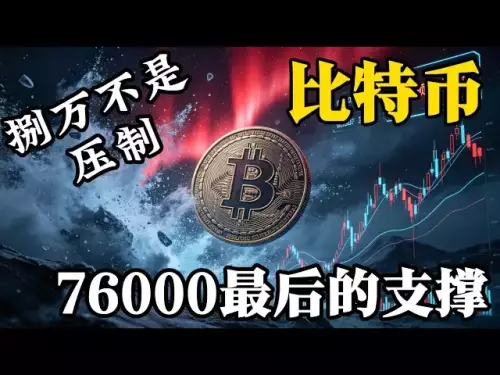


![There will be a violent washout of Bitcoin next. Don't buy the bottom too early. It won't stretch quickly in the short term. What you need to do now is to wait patiently for a good buying position, keep your bullets, and don't get hung up on it. When you buy the bottom, you will run out of bullets! Bitcoin market analysis [Issue 725]](/uploads/2026/08/23/cryptocurrencies-news/videos/origin_6a8afd33c749f_image_500_375.webp "There will be a violent washout of Bitcoin next. Don't buy the bottom too early. It won't stretch quickly in the short term. What you need to do now is to wait patiently for a good buying position, keep your bullets, and don't get hung up on it. When you buy the bottom, you will run out of bullets! Bitcoin market analysis [Issue 725]")






-
 bitcoin
 $77390.856017 USD
1.82% - ethereum
$2456.627593 USD
3.42% - tether
$0.999956 USD
0.00% - bnb
$699.463251 USD
2.55% - xrp
$1.480470 USD
2.68% - usd-coin
$1.000048 USD
0.00% - solana
$94.253862 USD
2.38% - tron
$0.344425 USD
0.70% - hyperliquid
$79.695030 USD
2.72% - dogecoin
$0.091914 USD
2.81% - zcash
$844.721786 USD
8.00% - chainlink
$11.522210 USD
3.50% - unus-sed-leo
$9.308855 USD
-1.85% - cardano
$0.219612 USD
2.36% - monero
$416.052091 USD
-3.62%











How to transfer BTC to your UniSat Wallet? (Deposit Tutorial)
UniSat Wallet only accepts native BTC on Bitcoin’s network—no ETH, SOL, or wrapped tokens—and supports P2PKH, P2SH, and Bech32 addresses for secure, private deposits.
Mar 28, 2026 at 03:20 am
Understanding UniSat Wallet Compatibility
1. UniSat Wallet is a Bitcoin Ordinals-compatible wallet built exclusively for the Bitcoin blockchain. It does not support Ethereum, Solana, or any other non-Bitcoin networks.
2. Only native BTC transfers are accepted — no wrapped tokens, no ERC-20 versions, and no sidechain assets qualify as valid deposits.
3. The wallet uses standard Bitcoin addresses, including P2PKH (legacy), P2SH (nested SegWit), and native Bech32 (SegWit) formats. All three are functional for receiving BTC.
4. Each UniSat wallet has a unique receive address that remains static unless manually regenerated. Reusing the same address does not compromise security but may reduce privacy.
5. Transaction fees are paid in BTC and determined by network congestion. UniSat displays real-time fee estimates before confirming a send action.
Locating Your Receive Address
1. Open the UniSat Wallet extension or mobile app and unlock it with your password or biometric authentication.
2. Navigate to the “Receive” tab — this section displays your current BTC deposit address prominently.
3. Tap or click the copy icon next to the address to store it in your clipboard. A visual confirmation appears upon successful copy.
4. Verify the address format: native Bech32 addresses begin with bc1q, legacy addresses start with 1, and P2SH addresses start with 3.
5. For enhanced clarity, UniSat also shows a QR code below the address. Scanning this QR code with another wallet’s camera function initiates a pre-filled transaction.
Initiating the Transfer from Another Platform
1. Log into the exchange or external wallet holding your BTC — examples include Binance, OKX, Kraken, or Exodus.
2. Go to the withdrawal or send section and select BTC as the asset. Ensure you're withdrawing native Bitcoin, not BTCB or wBTC.
3. Paste the UniSat receive address into the destination field. Double-check every character — even a single mismatched digit will result in irreversible loss.
4. Enter the amount you wish to transfer. Consider leaving sufficient BTC in the source wallet to cover future withdrawal fees if needed.
5. Review the network fee estimate shown by the sending platform. Confirm that the fee aligns with current Bitcoin mempool conditions before submitting.
Tracking Confirmation Status
1. After submission, the transaction appears on-chain once included in a block. You can monitor progress using explorers like Mempool.space or Blockstream.info.
2. UniSat Wallet automatically polls for new transactions every 30 seconds. No manual refresh is required to detect incoming BTC.
3. One confirmation indicates the transaction resides in a mined block. Six confirmations are typically considered final settlement for high-value transfers.
4. If the balance does not update within 10 minutes, verify whether the sending platform has broadcast the transaction — some services delay broadcasting pending internal processing.
5. In rare cases where a transaction remains unconfirmed for over an hour, check the fee rate used. Low-feerate transactions may require acceleration via RBF or CPFP techniques outside UniSat’s interface.
Frequently Asked Questions
Q: Can I send BTC from a Ledger hardware wallet directly to UniSat?A: Yes — export your public Bitcoin address from Ledger Live or use a compatible web interface like Blockstream Green to generate and verify the UniSat receive address before initiating the transfer.
Q: Why does UniSat show zero balance after my transaction has six confirmations?A: This usually occurs when the sending platform used a non-standard output script or routed funds through a custodial service that alters UTXO structure. Verify the transaction output matches your exact UniSat address using a block explorer.
Q: Is it safe to reuse the same UniSat receive address for multiple deposits?A: Technically yes — Bitcoin protocol allows infinite reuse. However, doing so reduces financial privacy and increases linkage risk across transactions observed on-chain.
Q: What happens if I send BTC to a UniSat Ordinals inscription address instead of my BTC receive address?A: Funds sent to an inscription-specific address — often derived from a different derivation path — will not appear in your main BTC balance. Recovery requires accessing the corresponding private key and importing it into a compatible wallet supporting that path.
Disclaimer:info@kdj.com
The information provided is not trading advice. kdj.com does not assume any responsibility for any investments made based on the information provided in this article. Cryptocurrencies are highly volatile and it is highly recommended that you invest with caution after thorough research!
If you believe that the content used on this website infringes your copyright, please contact us immediately (info@kdj.com) and we will delete it promptly.






- Bitcoin, eCash Fork, and Airdrop Dynamics: A Deep Dive into Crypto's Latest Controversies
- 2026-05-03 12:55:01
- Consensus 2026 Miami: Web3, Blockchain, Cryptocurrency, NFTs, Metaverse, Conference, May 5th — Where Wall Street Meets the Digital Frontier
- 2026-05-02 12:45:01
- Fed Holds Rates Steady, Triggering Bitcoin Price Drop Amidst Geopolitical Tensions
- 2026-05-01 06:45:01
- Bitcoin Miners Electrify the Grid: Ohio Gas Plant Acquisition Powers Up a New Era for Digital Gold
- 2026-05-01 00:45:01
- MegaETH's MEGA Token Hits the Big Apple: Setting New Performance Benchmarks for Real-Time Blockchain
- 2026-05-01 00:55:01
- Solana's Slippery Slope: Price Prediction Points to Resistance Loss and Potential Further Drops
- 2026-05-01 06:45:01
Related knowledge

How to Send ETH from Trezor to Binance? How to Transfer Ethereum from Hardware Wallet?
Aug 22,2026 at 11:20pm
Connecting Trezor to Binance via Ethereum Network1. Ensure your Trezor device is updated to the latest firmware version compatible with Ethereum mainn...

How to Transfer BTC from Trezor to Coinbase? How to Send Bitcoin from Trezor Wallet?
Aug 23,2026 at 09:20am
Understanding Trezor Wallet Architecture1. Trezor devices operate as hardware-based cold wallets, isolating private keys from internet-connected envir...

How to Send USDT from Ledger to Binance? How to Transfer Tether from Hardware Wallet?
Aug 19,2026 at 02:20am
Connecting Ledger to Binance Interface1. Ensure the Ledger device is fully updated with the latest firmware version compatible with USDT token standar...

How to Transfer BTC from Ledger to Coinbase? How to Send Bitcoin from Ledger Wallet?
Aug 20,2026 at 05:00am
Device Connection and Ledger Live Setup1. Connect the Ledger Nano S Plus or Nano X to a computer using the original USB cable. 2. Launch Ledger Live d...
How to Receive ETH in SafePal? How to Find Your Ethereum Deposit Address?
Aug 24,2026 at 02:00am
Accessing Your Ethereum Wallet in SafePal1. Open the SafePal mobile application and log in to your existing wallet or create a new one using a secure ...
How to Receive USDT in SafePal from OKX? How to Choose the Correct Chain?
Aug 23,2026 at 08:39pm
Understanding USDT Chain Variants1. USDT exists across multiple blockchain networks including Ethereum (ERC-20), Tron (TRC-20), BNB Smart Chain (BEP-2...
How to Send ETH from Trezor to Binance? How to Transfer Ethereum from Hardware Wallet?
Aug 22,2026 at 11:20pm
Connecting Trezor to Binance via Ethereum Network1. Ensure your Trezor device is updated to the latest firmware version compatible with Ethereum mainn...
How to Transfer BTC from Trezor to Coinbase? How to Send Bitcoin from Trezor Wallet?
Aug 23,2026 at 09:20am
Understanding Trezor Wallet Architecture1. Trezor devices operate as hardware-based cold wallets, isolating private keys from internet-connected envir...
How to Send USDT from Ledger to Binance? How to Transfer Tether from Hardware Wallet?
Aug 19,2026 at 02:20am
Connecting Ledger to Binance Interface1. Ensure the Ledger device is fully updated with the latest firmware version compatible with USDT token standar...
How to Transfer BTC from Ledger to Coinbase? How to Send Bitcoin from Ledger Wallet?
Aug 20,2026 at 05:00am
Device Connection and Ledger Live Setup1. Connect the Ledger Nano S Plus or Nano X to a computer using the original USB cable. 2. Launch Ledger Live d...
How to Receive ETH in SafePal? How to Find Your Ethereum Deposit Address?
Aug 24,2026 at 02:00am
Accessing Your Ethereum Wallet in SafePal1. Open the SafePal mobile application and log in to your existing wallet or create a new one using a secure ...
How to Receive USDT in SafePal from OKX? How to Choose the Correct Chain?
Aug 23,2026 at 08:39pm
Understanding USDT Chain Variants1. USDT exists across multiple blockchain networks including Ethereum (ERC-20), Tron (TRC-20), BNB Smart Chain (BEP-2...
See all articles


