


















-
 bitcoin
 $75268.858698 USD
8.53% - ethereum
$2363.950936 USD
5.45% - tether
$0.999566 USD
0.03% - bnb
$664.951035 USD
6.43% - xrp
$1.312939 USD
19.10% - usd-coin
$0.999944 USD
0.01% - solana
$90.762330 USD
7.09% - tron
$0.338064 USD
1.46% - hyperliquid
$73.234749 USD
2.61% - dogecoin
$0.083019 USD
11.21% - zcash
$600.124195 USD
8.72% - unus-sed-leo
$9.273276 USD
-0.80% - chainlink
$10.973069 USD
4.91% - monero
$415.751478 USD
0.89% - cardano
$0.209467 USD
14.41%











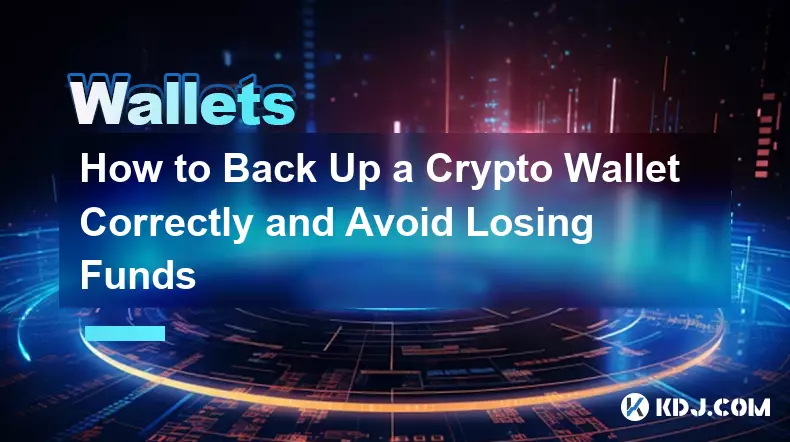
How to Back Up a Crypto Wallet Correctly and Avoid Losing Funds
UKey Core, a hardware security device with dual EAL 6+ chips and air-gapped seed generation, ensures private key protection and tamper-resistant backups—no automatic cloud sync or online exposure.
Jun 13, 2026 at 05:29 pm
Understanding the Core Mechanism of Wallet Backups
1. A crypto wallet does not store coins—it stores cryptographic keys that grant access to balances recorded on a public blockchain.
2. The private key is the sole determinant of ownership; losing it means permanent loss of assets, regardless of blockchain visibility.
3. Backup mechanisms revolve entirely around preserving the master seed or its derivative representation—no other method guarantees full recovery.
4. Hardware wallets generate seeds offline, isolating them from internet-connected devices where malware can harvest keystrokes or clipboard data.
5. Software wallets often auto-generate seeds during setup but may expose them via insecure interfaces if not manually verified and written down offline.
Common Backup Failures in Practice
1. Storing seed phrases in cloud services like Google Drive or iCloud creates a single point of compromise—these platforms are routinely targeted by credential stuffing and phishing attacks.
2. Typing the seed phrase into any online form—even on a supposedly “secure” website—exposes it to browser extensions, network sniffers, or compromised DNS resolvers.
3. Using digital photos or screenshots introduces metadata leakage, device fingerprinting, and accidental sharing through syncing features.
4. Writing seeds on paper without environmental safeguards leads to degradation: humidity, fire, ink fading, or physical misplacement erodes reliability over time.
5. Reusing the same seed across multiple wallets or devices increases surface area for exposure—each instance multiplies risk without adding redundancy.
Physical Durability Requirements for Seed Storage
1. Stainless steel backup plates resist corrosion, fire, water immersion, and mechanical abrasion far better than paper or laminated cards.
2. Engraving—not printing—is essential; laser-etched characters survive decades without fading or smudging under normal handling conditions.
3. Fragmented storage across multiple geographically separated locations prevents total loss from localized disasters such as floods or theft.
4. Avoid magnetic surfaces or proximity to strong electromagnetic fields—these can interfere with metallic backups containing embedded RFID shielding layers.
5. Never store backup media alongside the hardware wallet itself; physical co-location defeats the purpose of separation-based redundancy.
The NGRAVE Perfect Key Framework
1. It eliminates reliance on memorized 24-word mnemonics by generating statistically unique entropy directly on air-gapped hardware.
2. The seed is never represented as human-readable text; instead, it exists only as encrypted binary within tamper-resistant silicon.
3. Recovery uses a multi-factor physical token system—requiring simultaneous presence of biometric verification and proprietary metal key shards.
4. No software component ever processes the full seed value; cryptographic operations occur inside isolated secure enclaves with zero external memory exposure.
5. Each backup shard contains no usable information alone—only collective assembly across all required components yields functional access.
Frequently Asked Questions
Q1: Can I recover my wallet if I lose both my device and my seed phrase?Recovery is impossible without the original seed phrase or its authorized derivative. No service provider, blockchain explorer, or developer has access to private keys.
Q2: Is it safe to write down my seed phrase using a pencil instead of ink?Pencil marks are easily smudged or erased; archival-grade pigment ink provides chemical stability and resistance to moisture and light exposure.
Q3: What happens if someone finds my engraved steel backup?Physical possession alone grants no access—the backup must be paired with correct passphrase derivation, biometric validation, or secondary authentication tokens.
Q4: Do hardware wallets automatically back up my keys when connected to a computer?No. Hardware wallets never transmit private keys or seeds over USB or Bluetooth. Any claim of automatic backup indicates either firmware compromise or misuse of a non-air-gapped device.
Disclaimer:info@kdj.com
The information provided is not trading advice. kdj.com does not assume any responsibility for any investments made based on the information provided in this article. Cryptocurrencies are highly volatile and it is highly recommended that you invest with caution after thorough research!
If you believe that the content used on this website infringes your copyright, please contact us immediately (info@kdj.com) and we will delete it promptly.





- Bitcoin, eCash Fork, and Airdrop Dynamics: A Deep Dive into Crypto's Latest Controversies
- 2026-05-03 12:55:01
- Consensus 2026 Miami: Web3, Blockchain, Cryptocurrency, NFTs, Metaverse, Conference, May 5th — Where Wall Street Meets the Digital Frontier
- 2026-05-02 12:45:01
- Fed Holds Rates Steady, Triggering Bitcoin Price Drop Amidst Geopolitical Tensions
- 2026-05-01 06:45:01
- Bitcoin Miners Electrify the Grid: Ohio Gas Plant Acquisition Powers Up a New Era for Digital Gold
- 2026-05-01 00:45:01
- MegaETH's MEGA Token Hits the Big Apple: Setting New Performance Benchmarks for Real-Time Blockchain
- 2026-05-01 00:55:01
- Solana's Slippery Slope: Price Prediction Points to Resistance Loss and Potential Further Drops
- 2026-05-01 06:45:01
Related knowledge

How to Send USDT from Ledger to Binance? How to Transfer Tether from Hardware Wallet?
Aug 19,2026 at 02:20am
Connecting Ledger to Binance Interface1. Ensure the Ledger device is fully updated with the latest firmware version compatible with USDT token standar...

How to Transfer BTC from Ledger to Coinbase? How to Send Bitcoin from Ledger Wallet?
Aug 20,2026 at 05:00am
Device Connection and Ledger Live Setup1. Connect the Ledger Nano S Plus or Nano X to a computer using the original USB cable. 2. Launch Ledger Live d...

How to Transfer USDT from SafePal to Binance? How to Select the Right Network?
Aug 19,2026 at 02:39pm
Understanding USDT Network Variants1. USDT exists across multiple blockchain networks including Ethereum (ERC-20), Tron (TRC-20), Binance Smart Chain ...

How to Transfer SOL from TokenPocket to Binance? How to Send Solana to an Exchange?
Aug 20,2026 at 05:19pm
Market Volatility Patterns1. Bitcoin price swings often exceed 10% within a 24-hour window during major macroeconomic announcements. 2. Altcoin indice...

How to Receive BTC in TokenPocket from Binance? How to Deposit Bitcoin Correctly?
Aug 21,2026 at 06:00pm
Accessing Your TokenPocket BTC Wallet1. Install the latest version of TokenPocket from its official website or verified app store channel. 2. Create a...

How to Speed Up a MetaMask Transaction? How to Increase Gas Fees for a Pending Transfer?
Aug 19,2026 at 12:39am
Understanding Pending Transactions in MetaMask1. A transaction remains pending when it has been broadcast to the Ethereum network but not yet confirme...
How to Send USDT from Ledger to Binance? How to Transfer Tether from Hardware Wallet?
Aug 19,2026 at 02:20am
Connecting Ledger to Binance Interface1. Ensure the Ledger device is fully updated with the latest firmware version compatible with USDT token standar...
How to Transfer BTC from Ledger to Coinbase? How to Send Bitcoin from Ledger Wallet?
Aug 20,2026 at 05:00am
Device Connection and Ledger Live Setup1. Connect the Ledger Nano S Plus or Nano X to a computer using the original USB cable. 2. Launch Ledger Live d...
How to Transfer USDT from SafePal to Binance? How to Select the Right Network?
Aug 19,2026 at 02:39pm
Understanding USDT Network Variants1. USDT exists across multiple blockchain networks including Ethereum (ERC-20), Tron (TRC-20), Binance Smart Chain ...
How to Transfer SOL from TokenPocket to Binance? How to Send Solana to an Exchange?
Aug 20,2026 at 05:19pm
Market Volatility Patterns1. Bitcoin price swings often exceed 10% within a 24-hour window during major macroeconomic announcements. 2. Altcoin indice...
How to Receive BTC in TokenPocket from Binance? How to Deposit Bitcoin Correctly?
Aug 21,2026 at 06:00pm
Accessing Your TokenPocket BTC Wallet1. Install the latest version of TokenPocket from its official website or verified app store channel. 2. Create a...
How to Speed Up a MetaMask Transaction? How to Increase Gas Fees for a Pending Transfer?
Aug 19,2026 at 12:39am
Understanding Pending Transactions in MetaMask1. A transaction remains pending when it has been broadcast to the Ethereum network but not yet confirme...
See all articles


