


















-
 bitcoin
 $85928.023813 USD
2.27% - ethereum
$2729.934063 USD
0.64% - tether
$0.999614 USD
0.02% - bnb
$777.040634 USD
0.86% - xrp
$1.523805 USD
1.33% - usd-coin
$0.999921 USD
0.02% - solana
$121.557757 USD
2.05% - tron
$0.334134 USD
-0.98% - zcash
$1378.204660 USD
-4.34% - hyperliquid
$90.088533 USD
0.86% - dogecoin
$0.095878 USD
0.15% - chainlink
$14.394223 USD
-0.36% - monero
$549.044846 USD
-0.25% - cardano
$0.254373 USD
0.44% - unus-sed-leo
$8.969563 USD
1.40%










How do I view my transaction history in a Web3 wallet?
By navigating to the "Transactions" or "History" section in your Web3 wallet, you can access a chronological list of all your crypto asset transactions, providing insights into their dates, amounts, and status.
Oct 22, 2024 at 10:54 am
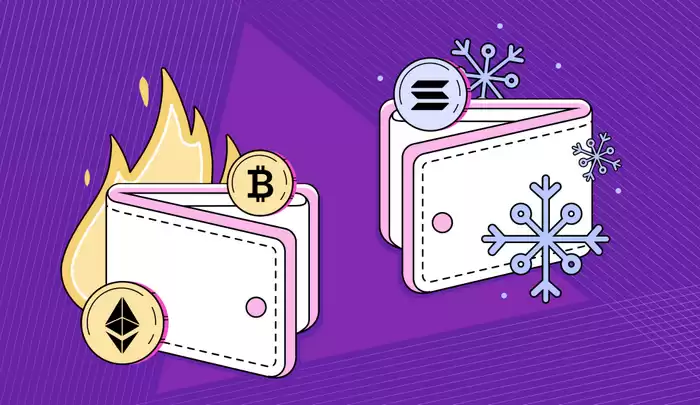
Web3 wallets provide users with secure access to their crypto assets and the ability to interact with decentralized applications. While every wallet may have slightly different interfaces and settings, viewing your transaction history is a common feature:
1. Open Your Web3 Wallet:- Access your Web3 wallet website or app and log in with your credentials.
- Depending on the wallet, look for a tab or menu item labeled "Transactions," "History," or something similar.
- The transaction history will display a chronological list of all incoming and outgoing transactions.
Each transaction will typically show information such as:
- Date and time
- Transaction hash
- Sender and recipient addresses
- Amount and currency
- Transaction status (e.g., pending, confirmed)
- Some wallets offer advanced filtering options to help you search and filter transactions based on specific criteria (e.g., date range, sender, amount).
- You may also be able to export your transaction history as a report for recordkeeping purposes.
- Every transaction on the blockchain has a unique hash that identifies it. Clicking on the hash will often open a blockchain explorer, where you can view additional information about the transaction, such as confirmations and any associated smart contracts.
- Always ensure that you are using a reputable Web3 wallet.
- Keep your wallet's private key or seed phrase secure, as unauthorized access could compromise your funds.
- Regularly review your transaction history to monitor any suspicious activity.
Disclaimer:info@kdj.com
The information provided is not trading advice. kdj.com does not assume any responsibility for any investments made based on the information provided in this article. Cryptocurrencies are highly volatile and it is highly recommended that you invest with caution after thorough research!
If you believe that the content used on this website infringes your copyright, please contact us immediately (info@kdj.com) and we will delete it promptly.






- SlowMist Uncovers FlashLoopAdapter Flaw Draining Safe Wallets: A Wake-Up Call for DeFi Integrations
- 2026-10-03 08:50:01
- Ethereum Layer-2 Faces Asset Move Deadline as Blast Announces Shutdown
- 2026-10-03 08:55:02
- Ethereum Layer 2 Blast Shuts Down: Network Winds Down Amidst Unsustainable Economics
- 2026-10-03 08:45:01
- SEC Unlocks Triple Threat: 3x Bitcoin, Ethereum, and Commodity ETPs Get the Green Light
- 2026-10-03 08:45:01
- UK Finance Leaders Embrace Tokenization: Lloyds Survey Reveals Banking Transformation Ahead
- 2026-10-03 08:50:01
- NEAR Intents Exploit Resolved: $3.8M Returned, Bolstering NEAR Ecosystem's Resilience and Growth Story
- 2026-10-03 08:35:02
Related knowledge

How to Transfer Bitcoin From SafePal to Ledger for Long-Term Cold Storage?
Oct 03,2026 at 02:19am
Preparation Before Transfer1. Verify that your SafePal wallet is fully updated and supports exporting private keys or signing transactions offline. 2....

How to Add a Custom Token to Atomic Wallet When It Is Missing From Your Portfolio?
Oct 03,2026 at 01:19am
Bitcoin Halving Mechanics1. Bitcoin’s protocol enforces a fixed supply cap of 21 million coins, with new units introduced through block rewards. 2. Ev...

How to Restore Atomic Wallet on a New Device Using Your 12-Word Backup Phrase?
Oct 01,2026 at 01:40am
Bitcoin Halving Mechanics1. Bitcoin’s protocol enforces a fixed supply cap of 21 million coins, with new coins introduced through block rewards. 2. Ev...

How to Swap BTC for USDT in Atomic Wallet and Review the Final Exchange Amount?
Oct 01,2026 at 09:00pm
Bitcoin Halving Mechanics1. Bitcoin’s protocol enforces a fixed supply cap of 21 million coins, with new coins introduced through block rewards. 2. Ev...

How to Stake TRX Through Guarda Wallet and Monitor Your Staking Rewards?
Oct 01,2026 at 09:39pm
Setting Up TRX Staking in Guarda Wallet1. Install the official Guarda Wallet application from the verified website or app store and complete wallet cr...
How to Restore a Guarda Wallet Using a Backup File on a New Computer?
Oct 01,2026 at 08:39pm
Understanding Guarda Wallet Backup Structure1. Guarda Wallet generates a locally stored encrypted backup file named guarda-backup.json when users manu...
How to Transfer Bitcoin From SafePal to Ledger for Long-Term Cold Storage?
Oct 03,2026 at 02:19am
Preparation Before Transfer1. Verify that your SafePal wallet is fully updated and supports exporting private keys or signing transactions offline. 2....
How to Add a Custom Token to Atomic Wallet When It Is Missing From Your Portfolio?
Oct 03,2026 at 01:19am
Bitcoin Halving Mechanics1. Bitcoin’s protocol enforces a fixed supply cap of 21 million coins, with new units introduced through block rewards. 2. Ev...
How to Restore Atomic Wallet on a New Device Using Your 12-Word Backup Phrase?
Oct 01,2026 at 01:40am
Bitcoin Halving Mechanics1. Bitcoin’s protocol enforces a fixed supply cap of 21 million coins, with new coins introduced through block rewards. 2. Ev...
How to Swap BTC for USDT in Atomic Wallet and Review the Final Exchange Amount?
Oct 01,2026 at 09:00pm
Bitcoin Halving Mechanics1. Bitcoin’s protocol enforces a fixed supply cap of 21 million coins, with new coins introduced through block rewards. 2. Ev...
How to Stake TRX Through Guarda Wallet and Monitor Your Staking Rewards?
Oct 01,2026 at 09:39pm
Setting Up TRX Staking in Guarda Wallet1. Install the official Guarda Wallet application from the verified website or app store and complete wallet cr...
How to Restore a Guarda Wallet Using a Backup File on a New Computer?
Oct 01,2026 at 08:39pm
Understanding Guarda Wallet Backup Structure1. Guarda Wallet generates a locally stored encrypted backup file named guarda-backup.json when users manu...
See all articles


