














![Crypto Otaku - CRYPTO CHAOS! 86K BITCOIN! IRAN! OIL!! UPTOBER CONTINUES! NYSE ATH!! [Episode 912]](/uploads/2026/10/07/cryptocurrencies-news/videos/origin_6ac5fbdb43268_image_500_375.webp "Crypto Otaku - CRYPTO CHAOS! 86K BITCOIN! IRAN! OIL!! UPTOBER CONTINUES! NYSE ATH!! [Episode 912]")






-
 bitcoin
 $84238.640110 USD
-1.29% - ethereum
$2617.977946 USD
-2.94% - tether
$0.999722 USD
-0.01% - bnb
$767.998677 USD
-1.32% - xrp
$1.475120 USD
-1.39% - usd-coin
$0.999854 USD
-0.01% - solana
$118.870390 USD
-0.74% - tron
$0.333127 USD
-1.08% - hyperliquid
$91.250958 USD
-2.02% - zcash
$1325.919433 USD
0.19% - dogecoin
$0.090858 USD
-3.68% - monero
$570.062315 USD
2.38% - chainlink
$13.796738 USD
-0.21% - cardano
$0.257345 USD
-4.22% - unus-sed-leo
$8.876021 USD
-0.23%










how to swap xrp to usdt on trust wallet
With Trust Wallet's user-friendly interface and low fees, swapping XRP to USDT can be done seamlessly and efficiently on your mobile device.
Oct 17, 2024 at 09:00 pm
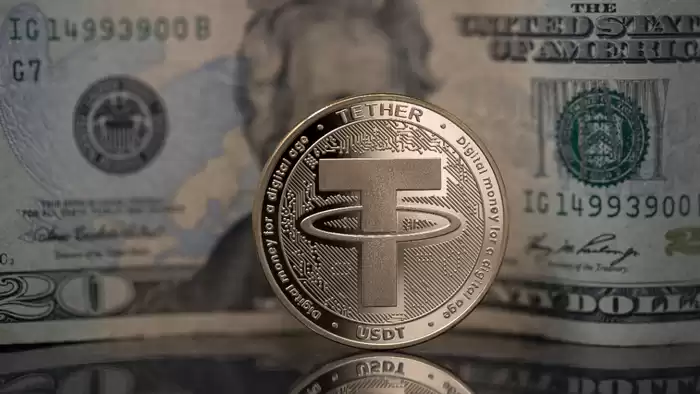
How to Swap XRP to USDT on Trust Wallet
Trust Wallet is a popular mobile cryptocurrency wallet that supports a variety of digital assets, including XRP and USDT. If you wish to swap XRP for USDT on Trust Wallet, you can follow the steps listed below.
Step 1: Open your Trust Wallet and tap on the "Swap" tab.Step 2: Select XRP as the "From" currency and USDT as the "To" currency.Step 3: Enter the amount of XRP you wish to swap.Step 4: Tap on the "Review Swap" button.Step 5: Ensure that the details of the swap are correct and then tap on the "Swap Now" button.Step 6: The swap will be processed and your USDT will be deposited into your Trust Wallet.Additional Notes:- Trust Wallet charges a small fee for each swap. This fee will typically be around 0.5% of the swap amount.
- Swaps may take several minutes to be processed, depending on the network conditions.
- Due to market volatility, the exchange rate for XRP to USDT may change frequently. Always ensure that you check the exchange rate before completing a swap.
Disclaimer:info@kdj.com
The information provided is not trading advice. kdj.com does not assume any responsibility for any investments made based on the information provided in this article. Cryptocurrencies are highly volatile and it is highly recommended that you invest with caution after thorough research!
If you believe that the content used on this website infringes your copyright, please contact us immediately (info@kdj.com) and we will delete it promptly.






- Tether and Kazakhstan Forge Ahead: Exploring Stablecoins and Digital Finance in Central Asia
- 2026-10-08 08:22:03
- XRP Gets a Huge Green Light: Market Strategist Points to Nasdaq Listing and Regulatory Clarity
- 2026-10-08 07:33:17
- Uncle Sam's Crypto Shuffle: Bitcoin, Coinbase Prime, and Seized Assets Stir the Pot
- 2026-10-08 07:09:20
- Zcash ETF Bleeds: Price Action Signals Institutional Chill Amidst $59 Million Outflows
- 2026-10-07 09:52:04
- UK Digital Government Bond: Six Banks Named, Q1 2027 – A New Era for Sovereign Debt?
- 2026-10-07 04:55:20
- Ondo Finance Unlocks Private Markets Through Onchain Trading: A Game Changer for Global Investors
- 2026-10-07 00:55:01
Related knowledge

How to Transfer Bitcoin From SafePal to Ledger for Long-Term Cold Storage?
Oct 03,2026 at 02:19am
Preparation Before Transfer1. Verify that your SafePal wallet is fully updated and supports exporting private keys or signing transactions offline. 2....

How to Connect SafePal Wallet to a New DeFi Platform and Review Transaction Permissions?
Oct 08,2026 at 08:19am
Connecting SafePal Wallet to a DeFi Platform1. Open the SafePal mobile application and ensure it is updated to version 4.8.2 or higher. 2. Navigate to...

How to Restore a SafePal Wallet With Your Recovery Phrase After Reinstalling the App?
Oct 05,2026 at 11:40pm
Understanding SafePal Wallet Recovery Mechanics1. SafePal wallets rely exclusively on BIP-39 standard mnemonic phrases for deterministic key derivatio...

How to Send XRP From Atomic Wallet With the Correct Destination Tag?
Oct 06,2026 at 04:00am
Understanding Destination Tags in XRP Transactions1. A destination tag is a numeric identifier used exclusively within the XRP Ledger to route payment...

How to Fix an Atomic Wallet Exchange That Remains Pending After Confirmation?
Oct 05,2026 at 04:40pm
Bitcoin Halving Mechanics1. Bitcoin’s protocol enforces a fixed supply cap of 21 million coins, with new coins introduced through block rewards. 2. Ev...

How to Add a Custom Token to Atomic Wallet When It Is Missing From Your Portfolio?
Oct 03,2026 at 01:19am
Bitcoin Halving Mechanics1. Bitcoin’s protocol enforces a fixed supply cap of 21 million coins, with new units introduced through block rewards. 2. Ev...
How to Transfer Bitcoin From SafePal to Ledger for Long-Term Cold Storage?
Oct 03,2026 at 02:19am
Preparation Before Transfer1. Verify that your SafePal wallet is fully updated and supports exporting private keys or signing transactions offline. 2....
How to Connect SafePal Wallet to a New DeFi Platform and Review Transaction Permissions?
Oct 08,2026 at 08:19am
Connecting SafePal Wallet to a DeFi Platform1. Open the SafePal mobile application and ensure it is updated to version 4.8.2 or higher. 2. Navigate to...
How to Restore a SafePal Wallet With Your Recovery Phrase After Reinstalling the App?
Oct 05,2026 at 11:40pm
Understanding SafePal Wallet Recovery Mechanics1. SafePal wallets rely exclusively on BIP-39 standard mnemonic phrases for deterministic key derivatio...
How to Send XRP From Atomic Wallet With the Correct Destination Tag?
Oct 06,2026 at 04:00am
Understanding Destination Tags in XRP Transactions1. A destination tag is a numeric identifier used exclusively within the XRP Ledger to route payment...
How to Fix an Atomic Wallet Exchange That Remains Pending After Confirmation?
Oct 05,2026 at 04:40pm
Bitcoin Halving Mechanics1. Bitcoin’s protocol enforces a fixed supply cap of 21 million coins, with new coins introduced through block rewards. 2. Ev...
How to Add a Custom Token to Atomic Wallet When It Is Missing From Your Portfolio?
Oct 03,2026 at 01:19am
Bitcoin Halving Mechanics1. Bitcoin’s protocol enforces a fixed supply cap of 21 million coins, with new units introduced through block rewards. 2. Ev...
See all articles


