











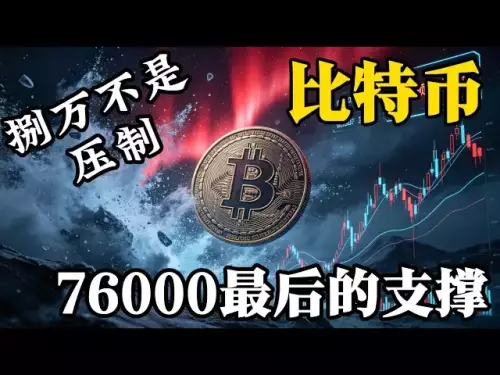


![There will be a violent washout of Bitcoin next. Don't buy the bottom too early. It won't stretch quickly in the short term. What you need to do now is to wait patiently for a good buying position, keep your bullets, and don't get hung up on it. When you buy the bottom, you will run out of bullets! Bitcoin market analysis [Issue 725]](/uploads/2026/08/23/cryptocurrencies-news/videos/origin_6a8afd33c749f_image_500_375.webp "There will be a violent washout of Bitcoin next. Don't buy the bottom too early. It won't stretch quickly in the short term. What you need to do now is to wait patiently for a good buying position, keep your bullets, and don't get hung up on it. When you buy the bottom, you will run out of bullets! Bitcoin market analysis [Issue 725]")






-
 bitcoin
 $77390.856017 USD
1.82% - ethereum
$2456.627593 USD
3.42% - tether
$0.999956 USD
0.00% - bnb
$699.463251 USD
2.55% - xrp
$1.480470 USD
2.68% - usd-coin
$1.000048 USD
0.00% - solana
$94.253862 USD
2.38% - tron
$0.344425 USD
0.70% - hyperliquid
$79.695030 USD
2.72% - dogecoin
$0.091914 USD
2.81% - zcash
$844.721786 USD
8.00% - chainlink
$11.522210 USD
3.50% - unus-sed-leo
$9.308855 USD
-1.85% - cardano
$0.219612 USD
2.36% - monero
$416.052091 USD
-3.62%











How to participate in DeFi projects in Bybit Wallet?
Bybit Wallet acts as a secure gateway to DeFi, allowing users to connect and interact with external protocols for activities like staking and yield farming, but it doesn't host DeFi apps directly.
Mar 31, 2025 at 03:56 am
Understanding Bybit Wallet's DeFi Capabilities
Bybit Wallet, while relatively new compared to established DeFi platforms, offers a gateway to participate in various decentralized finance (DeFi) projects. It's crucial to understand that Bybit Wallet doesn't directly host DeFi applications; instead, it acts as a secure custodian for your crypto assets, allowing you to interact with external DeFi protocols. This means you'll still need to understand the specifics of each individual DeFi project you wish to engage with. The wallet's role is primarily to facilitate the transfer of funds and the signing of transactions.
Connecting Your Bybit Wallet to DeFi Platforms
The core process of participating in DeFi projects using Bybit Wallet involves connecting your wallet to the respective DeFi platform's interface. This usually happens through the wallet's built-in browser extension or by importing your wallet's private key (though this method is generally less secure and should be avoided unless absolutely necessary). Always double-check the platform's address before connecting to prevent scams. Once connected, you can interact with the platform's features just as you would with any other wallet.
Key Steps to Interact with DeFi Protocols
To effectively use your Bybit Wallet with DeFi, follow these steps:
- Download and install the Bybit Wallet: Ensure you download from the official Bybit website to avoid malicious imitations.
- Create or import a wallet: You can either create a new wallet or import an existing one using your seed phrase. Securely store your seed phrase offline; it's the only way to recover your wallet.
- Fund your wallet: Transfer the necessary cryptocurrencies to your Bybit Wallet address. Remember that different DeFi protocols may require specific tokens.
- Connect your wallet to the DeFi platform: Navigate to the DeFi platform's website and find the wallet connection option. Usually, this involves selecting 'Bybit Wallet' from a list of supported wallets.
- Interact with the DeFi protocol: Once connected, you can explore the platform's features, such as providing liquidity, staking, lending, or borrowing. Thoroughly research the specific risks associated with each DeFi protocol before investing.
Understanding the Risks Involved
DeFi projects often involve significant risks. Smart contract vulnerabilities, impermanent loss, rug pulls, and market volatility are all potential dangers. Before participating in any DeFi activity, conduct thorough research into the specific project and understand the associated risks. Never invest more than you can afford to lose. Consider diversifying your investments across multiple protocols to mitigate risk.
Specific DeFi Activities within Bybit Wallet's Ecosystem
While Bybit Wallet doesn't directly host DeFi applications, its integration with various protocols allows users to engage in several activities. These include:
- Liquidity Provision: Providing liquidity to decentralized exchanges (DEXs) like Uniswap or PancakeSwap, earning trading fees in return. Understand the concept of impermanent loss before providing liquidity.
- Staking: Locking up your tokens to support the network and earn rewards. Different protocols offer various staking mechanisms and reward structures.
- Yield Farming: A more aggressive form of staking involving multiple DeFi protocols to maximize returns. Yield farming carries significantly higher risk due to its complexity.
- Lending and Borrowing: Lending your crypto assets to others and earning interest, or borrowing assets against collateral. Be aware of liquidation risks when borrowing.
Security Best Practices When Using Bybit Wallet for DeFi
Security is paramount when interacting with DeFi protocols. Follow these best practices:
- Only use the official Bybit Wallet app or extension. Beware of phishing websites and malicious applications.
- Enable two-factor authentication (2FA) on your Bybit Wallet. This adds an extra layer of security to your account.
- Regularly review your wallet transactions and account activity. Report any suspicious activity immediately.
- Be cautious of unsolicited messages or links. Never share your seed phrase or private keys with anyone.
- Keep your device software updated. Outdated software can be vulnerable to exploits.
Frequently Asked Questions
Q: Is Bybit Wallet a DeFi platform itself?A: No, Bybit Wallet is a cryptocurrency wallet that allows users to interact with various external DeFi platforms. It doesn't host the DeFi applications directly.
Q: What are the risks of using Bybit Wallet for DeFi?A: The risks are similar to those associated with using any other wallet for DeFi: smart contract vulnerabilities, impermanent loss, rug pulls, market volatility, and phishing scams.
Q: How do I choose a DeFi project to participate in?A: Thoroughly research any project before investing. Consider the project's team, its security audits, its tokenomics, and the overall market conditions. Never invest more than you can afford to lose.
Q: What if I lose my seed phrase?A: If you lose your seed phrase, you will lose access to your funds in your Bybit Wallet. There is no way to recover them. This emphasizes the importance of securely storing your seed phrase.
Q: Can I use Bybit Wallet with any DeFi platform?A: While Bybit Wallet aims for broad compatibility, not all DeFi platforms may be directly supported. Check the compatibility before attempting to connect.
Q: What fees are involved in using Bybit Wallet for DeFi?A: Fees will vary depending on the specific DeFi platform you're using and the transactions you're conducting. Gas fees (transaction fees on the blockchain) are common. Bybit Wallet itself may also charge a small fee for certain services.
Q: Is it safe to connect my Bybit Wallet to DeFi platforms?A: Connecting your wallet to DeFi platforms carries inherent risks. Always verify the platform's legitimacy and use reputable platforms with a proven track record. Double-check the address before connecting to prevent scams.
Disclaimer:info@kdj.com
The information provided is not trading advice. kdj.com does not assume any responsibility for any investments made based on the information provided in this article. Cryptocurrencies are highly volatile and it is highly recommended that you invest with caution after thorough research!
If you believe that the content used on this website infringes your copyright, please contact us immediately (info@kdj.com) and we will delete it promptly.






- Bitcoin, eCash Fork, and Airdrop Dynamics: A Deep Dive into Crypto's Latest Controversies
- 2026-05-03 12:55:01
- Consensus 2026 Miami: Web3, Blockchain, Cryptocurrency, NFTs, Metaverse, Conference, May 5th — Where Wall Street Meets the Digital Frontier
- 2026-05-02 12:45:01
- Fed Holds Rates Steady, Triggering Bitcoin Price Drop Amidst Geopolitical Tensions
- 2026-05-01 06:45:01
- Bitcoin Miners Electrify the Grid: Ohio Gas Plant Acquisition Powers Up a New Era for Digital Gold
- 2026-05-01 00:45:01
- MegaETH's MEGA Token Hits the Big Apple: Setting New Performance Benchmarks for Real-Time Blockchain
- 2026-05-01 00:55:01
- Solana's Slippery Slope: Price Prediction Points to Resistance Loss and Potential Further Drops
- 2026-05-01 06:45:01
Related knowledge

How to Send ETH from Trezor to Binance? How to Transfer Ethereum from Hardware Wallet?
Aug 22,2026 at 11:20pm
Connecting Trezor to Binance via Ethereum Network1. Ensure your Trezor device is updated to the latest firmware version compatible with Ethereum mainn...

How to Transfer BTC from Trezor to Coinbase? How to Send Bitcoin from Trezor Wallet?
Aug 23,2026 at 09:20am
Understanding Trezor Wallet Architecture1. Trezor devices operate as hardware-based cold wallets, isolating private keys from internet-connected envir...

How to Send USDT from Ledger to Binance? How to Transfer Tether from Hardware Wallet?
Aug 19,2026 at 02:20am
Connecting Ledger to Binance Interface1. Ensure the Ledger device is fully updated with the latest firmware version compatible with USDT token standar...

How to Transfer BTC from Ledger to Coinbase? How to Send Bitcoin from Ledger Wallet?
Aug 20,2026 at 05:00am
Device Connection and Ledger Live Setup1. Connect the Ledger Nano S Plus or Nano X to a computer using the original USB cable. 2. Launch Ledger Live d...
How to Receive ETH in SafePal? How to Find Your Ethereum Deposit Address?
Aug 24,2026 at 02:00am
Accessing Your Ethereum Wallet in SafePal1. Open the SafePal mobile application and log in to your existing wallet or create a new one using a secure ...
How to Receive USDT in SafePal from OKX? How to Choose the Correct Chain?
Aug 23,2026 at 08:39pm
Understanding USDT Chain Variants1. USDT exists across multiple blockchain networks including Ethereum (ERC-20), Tron (TRC-20), BNB Smart Chain (BEP-2...
How to Send ETH from Trezor to Binance? How to Transfer Ethereum from Hardware Wallet?
Aug 22,2026 at 11:20pm
Connecting Trezor to Binance via Ethereum Network1. Ensure your Trezor device is updated to the latest firmware version compatible with Ethereum mainn...
How to Transfer BTC from Trezor to Coinbase? How to Send Bitcoin from Trezor Wallet?
Aug 23,2026 at 09:20am
Understanding Trezor Wallet Architecture1. Trezor devices operate as hardware-based cold wallets, isolating private keys from internet-connected envir...
How to Send USDT from Ledger to Binance? How to Transfer Tether from Hardware Wallet?
Aug 19,2026 at 02:20am
Connecting Ledger to Binance Interface1. Ensure the Ledger device is fully updated with the latest firmware version compatible with USDT token standar...
How to Transfer BTC from Ledger to Coinbase? How to Send Bitcoin from Ledger Wallet?
Aug 20,2026 at 05:00am
Device Connection and Ledger Live Setup1. Connect the Ledger Nano S Plus or Nano X to a computer using the original USB cable. 2. Launch Ledger Live d...
How to Receive ETH in SafePal? How to Find Your Ethereum Deposit Address?
Aug 24,2026 at 02:00am
Accessing Your Ethereum Wallet in SafePal1. Open the SafePal mobile application and log in to your existing wallet or create a new one using a secure ...
How to Receive USDT in SafePal from OKX? How to Choose the Correct Chain?
Aug 23,2026 at 08:39pm
Understanding USDT Chain Variants1. USDT exists across multiple blockchain networks including Ethereum (ERC-20), Tron (TRC-20), BNB Smart Chain (BEP-2...
See all articles


