












![[GODDESS OF VICTORY: NIKKE] Coin Rush SHOW DOWN Event ~ Bunny girls are here again and so am I!](/uploads/2026/09/21/cryptocurrencies-news/videos/origin_6ab01ad34997b_image_500_375.webp "[GODDESS OF VICTORY: NIKKE] Coin Rush SHOW DOWN Event ~ Bunny girls are here again and so am I!")








-
 bitcoin
 $80321.174057 USD
-0.96% - ethereum
$2575.142223 USD
-2.03% - tether
$0.999663 USD
0.00% - bnb
$750.959081 USD
-1.45% - xrp
$1.382579 USD
-2.63% - usd-coin
$0.999883 USD
0.00% - solana
$108.705042 USD
-2.93% - tron
$0.340225 USD
0.75% - zcash
$1451.991806 USD
-7.40% - hyperliquid
$91.224900 USD
-2.16% - dogecoin
$0.085240 USD
-2.20% - monero
$522.519180 USD
-7.67% - chainlink
$11.986918 USD
-2.91% - unus-sed-leo
$8.886381 USD
0.12% - cardano
$0.220224 USD
-1.38%











best hardware wallet for cryptocurrency
Hardware wallets provide enhanced security for cryptocurrency by storing private keys offline, shielding them from potential hacking attempts and malware intrusions.
Oct 19, 2024 at 09:41 pm
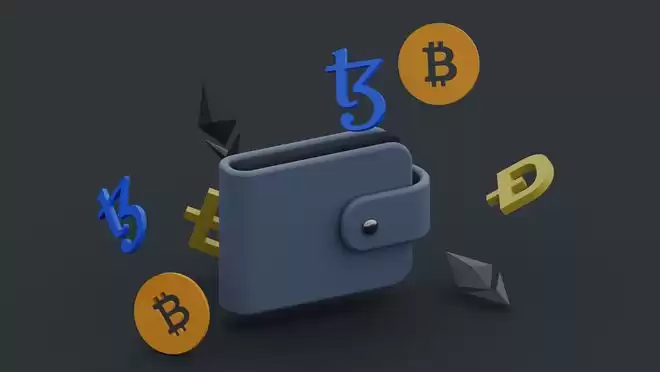
Hardware wallets are physical devices that store your cryptocurrency private keys offline, providing an extra layer of security against online threats. They generate and manage your keys within a secure chip, isolating them from potential hacking attempts.
2. Benefits of Hardware Wallets- Enhanced Security: Offline storage of private keys ensures they are not accessible to online attackers or malware.
- Tamper-Proof Construction: Robust hardware designs make it nearly impossible to tamper with or access the stored data.
- Ease of Use: Designed to be user-friendly, even for beginners, with intuitive interfaces and simple setup processes.
- Multi-Currency Support: Many hardware wallets support multiple cryptocurrencies, allowing you to manage all your assets in one place.
- Premium hardware wallet with a large touchscreen for easy navigation
- Supports over 1,800 cryptocurrencies and NFTs
- Enhanced security features include a built-in battery for firmware updates
- Advanced hardware wallet with a color touchscreen and a microSD card slot
- Supports over 1,600 cryptocurrencies
- Provides additional security features, such as a passphrase and coin-specific recovery seeds
- Budget-friendly hardware wallet with a compact design
- Supports over 40 cryptocurrencies
- Offers basic security features like a PIN code and wallet initialization options
- Innovative hardware wallet with a paper-thin design
- Uses Bluetooth technology for wireless connectivity
- Supports over 20 cryptocurrencies, with NFT storage capabilities
- Rugged and durable hardware wallet designed for high security
- Features a fingerprint scanner for secure authentication
- Supports over 40 cryptocurrencies, including less common altcoins
Consider the following factors when selecting a hardware wallet:
- Security: Look for wallets with strong offline storage capabilities and tamper-proof designs.
- Multi-Currency Support: Choose a wallet that supports the cryptocurrencies you hold or plan to acquire.
- User Experience: Opt for a wallet with an intuitive interface and easy-to-follow setup instructions.
- Budget: Hardware wallets vary in price. Set a budget and choose one that fits your financial capabilities.
Hardware wallets are essential tools for safeguarding your cryptocurrency assets. By storing your private keys offline, you mitigate the risks of online attacks and unauthorized access. While choosing the best hardware wallet depends on your individual needs, the options listed above offer reliable security and user-friendliness, allowing you to securely manage your digital wealth.
Disclaimer:info@kdj.com
The information provided is not trading advice. kdj.com does not assume any responsibility for any investments made based on the information provided in this article. Cryptocurrencies are highly volatile and it is highly recommended that you invest with caution after thorough research!
If you believe that the content used on this website infringes your copyright, please contact us immediately (info@kdj.com) and we will delete it promptly.






- House Committee Advances 20-Year Bitcoin Reserve Bill: A Glimpse into America's Digital Asset Future
- 2026-09-21 12:45:01
- U.S. Treasury Slams Iranian Exchange BitBank with Sanctions Over Alleged IRGC Bitcoin Transfers
- 2026-09-21 04:45:01
- Crypto Crossroads: Best Crypto to Buy Amidst SEC Regulation & the Rise of Pepeto
- 2026-09-21 04:50:01
- Bitcoin Price: The Spectacular Rebound and Its Crossroads
- 2026-09-21 04:45:01
- One Attacker, Multiple Tokens: Inside the Fetch.ai Breach - A New York Minute
- 2026-09-20 20:50:02
- MultiversX Halts Mainnet: Unraveling the 'Invalid State' Incident
- 2026-09-20 20:45:01
Related knowledge

How to protect a Phantom Wallet from scams?
Sep 21,2026 at 10:00am
Bitcoin Halving Mechanics1. Bitcoin’s protocol enforces a fixed issuance schedule where block rewards are cut in half approximately every 210,000 bloc...

How to fix a failed transaction in Phantom Wallet?
Sep 21,2026 at 04:39am
Understanding Transaction Failures in Phantom Wallet1. Phantom Wallet relies on Solana’s RPC infrastructure to broadcast and confirm transactions. A f...

How to buy USDC with Coinbase Wallet?
Sep 21,2026 at 12:20pm
Acquiring USDC via Coinbase Wallet Interface1. Open the Coinbase Wallet app on iOS or Android and ensure it is updated to the latest version. 2. Tap t...
How to transfer XRP to Coinbase Wallet?
Sep 21,2026 at 12:59pm
Bitcoin Halving Mechanics1. Bitcoin’s protocol enforces a fixed issuance schedule where the block reward halves approximately every 210,000 blocks, or...
How to send SOL from Phantom Wallet?
Sep 21,2026 at 11:19am
Accessing the Send Function1. Open the Phantom browser extension or mobile application and unlock it using your password or biometric authentication. ...
How to send USDC from MetaMask?
Sep 21,2026 at 09:20am
Accessing the USDC Token in MetaMask1. Ensure your MetaMask wallet is connected to the correct network where USDC resides—Ethereum Mainnet, Polygon, A...
How to protect a Phantom Wallet from scams?
Sep 21,2026 at 10:00am
Bitcoin Halving Mechanics1. Bitcoin’s protocol enforces a fixed issuance schedule where block rewards are cut in half approximately every 210,000 bloc...
How to fix a failed transaction in Phantom Wallet?
Sep 21,2026 at 04:39am
Understanding Transaction Failures in Phantom Wallet1. Phantom Wallet relies on Solana’s RPC infrastructure to broadcast and confirm transactions. A f...
How to buy USDC with Coinbase Wallet?
Sep 21,2026 at 12:20pm
Acquiring USDC via Coinbase Wallet Interface1. Open the Coinbase Wallet app on iOS or Android and ensure it is updated to the latest version. 2. Tap t...
How to transfer XRP to Coinbase Wallet?
Sep 21,2026 at 12:59pm
Bitcoin Halving Mechanics1. Bitcoin’s protocol enforces a fixed issuance schedule where the block reward halves approximately every 210,000 blocks, or...
How to send SOL from Phantom Wallet?
Sep 21,2026 at 11:19am
Accessing the Send Function1. Open the Phantom browser extension or mobile application and unlock it using your password or biometric authentication. ...
How to send USDC from MetaMask?
Sep 21,2026 at 09:20am
Accessing the USDC Token in MetaMask1. Ensure your MetaMask wallet is connected to the correct network where USDC resides—Ethereum Mainnet, Polygon, A...
See all articles


