










![※Breaking News※ [Ripple XRP] $4 will go first this year!! Exceeded 5,500 won per piece!! Market capitalization is a whopping 543 trillion won!! It was crazy!!](/uploads/2026/09/28/cryptocurrencies-news/videos/origin_6aba3643acb8c_image_500_375.webp "※Breaking News※ [Ripple XRP] $4 will go first this year!! Exceeded 5,500 won per piece!! Market capitalization is a whopping 543 trillion won!! It was crazy!!")






-
 bitcoin
 $83069.738644 USD
-1.71% - ethereum
$2647.234855 USD
-2.15% - tether
$0.999549 USD
-0.01% - bnb
$763.231625 USD
-1.53% - xrp
$1.480335 USD
-2.74% - usd-coin
$0.999917 USD
0.01% - solana
$118.627399 USD
-2.28% - tron
$0.333784 USD
0.19% - zcash
$1546.788972 USD
-6.91% - hyperliquid
$89.122220 USD
-3.89% - dogecoin
$0.092894 USD
-4.17% - chainlink
$13.780821 USD
-3.63% - monero
$533.616649 USD
-4.01% - cardano
$0.245086 USD
-4.10% - unus-sed-leo
$9.072685 USD
0.08%











how to get a cryptocurrency wallet
For secure cryptocurrency storage, opt for a hardware wallet like Trezor or Ledger, with robust offline security measures to safeguard your private keys.
Oct 23, 2024 at 02:22 pm
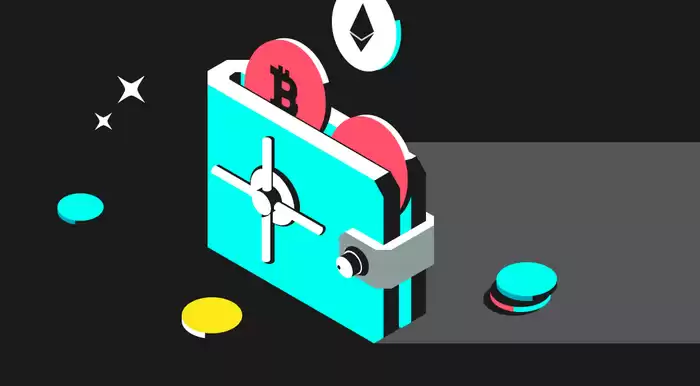
In the realm of digital currencies, a cryptocurrency wallet is an indispensable tool that allows you to store, send, and receive cryptocurrencies securely. Getting started with a crypto wallet can be intimidating, but it doesn't have to be. Here's a comprehensive guide to help you set up and use a cryptocurrency wallet:
1. Choose a Type of Wallet:- Software Wallets: These are digital wallets that are installed on your computer, mobile device, or web browser. They are convenient and easy to use, but may be less secure.
- Hardware Wallets: These are physical devices that store your private keys offline, making them highly secure. However, they can be more expensive and cumbersome.
- Paper Wallets: These are simply pieces of paper with your public and private keys printed on them. They are the most secure option, but also the least convenient.
Once you have decided on a type of wallet, it's time to choose a specific provider. Here are some popular options:
- Software Wallets: Exodus, MetaMask, Coinbase Wallet, Trust Wallet
- Hardware Wallets: Trezor, Ledger, SafePal, CoolWallet
- Paper Wallets: MyEtherWallet, BitAddress
To create an account with your chosen wallet provider, you will typically need to provide an email address and create a password. Some wallets may also ask for additional information, such as your name or phone number.
4. Get Your Address:Each cryptocurrency wallet has a unique public address, which is used to receive funds. You can copy and share your public address with others to receive cryptocurrencies.
5. Secure Your Wallet:To keep your cryptocurrency wallet safe, it is crucial to:
- Keep your private keys secret.
- Use a strong password for your wallet account.
- Enable two-factor authentication (2FA).
- Install antivirus software on your computer or mobile device.
Sending and receiving cryptocurrencies is relatively straightforward. Here's how:
- Sending: Input the public address of the recipient, select the amount you want to send, and confirm the transaction.
- Receiving: Provide your public address to the sender, and wait for them to initiate the transaction.
Getting a cryptocurrency wallet is essential for securely managing your digital assets. By following these steps, you can set up a wallet that meets your needs and keep your funds safe. Remember to choose a reputable wallet provider, secure your wallet, and be cautious when sending and receiving cryptocurrencies.
Disclaimer:info@kdj.com
The information provided is not trading advice. kdj.com does not assume any responsibility for any investments made based on the information provided in this article. Cryptocurrencies are highly volatile and it is highly recommended that you invest with caution after thorough research!
If you believe that the content used on this website infringes your copyright, please contact us immediately (info@kdj.com) and we will delete it promptly.





- LINK Price Surge: Chainlink Analysis and Prediction Fueled by CCIP 2.0 Launch
- 2026-09-29 12:55:02
- Robinhood Chain Sees Surge in Perps as Spot Trading Cools Amidst Broader Market Shifts
- 2026-09-29 12:55:02
- InterLink Users Can Now Spend ITL on Real-World Goods, Boosting ITL Usage
- 2026-09-29 13:00:01
- Robinhood, GameStop, and Sei: A New Era of Trading Infrastructure Unfolds
- 2026-09-29 13:00:01
- Quant Partnership Powers On-Chain Money, Hedera HBAR Surges Amidst Global Tokenization Push
- 2026-09-29 13:05:01
- Ethereum Transfers Get a Speed Boost: Chainlink's CCIP 2.0 Slashes Transfer Times, Enhancing Fast Ethereum Transfers and Overall Ethereum Transfer Speed
- 2026-09-29 13:05:02
Related knowledge

How to protect a Phantom Wallet from scams?
Sep 21,2026 at 10:00am
Bitcoin Halving Mechanics1. Bitcoin’s protocol enforces a fixed issuance schedule where block rewards are cut in half approximately every 210,000 bloc...
How to import a recovery phrase into Phantom Wallet?
Sep 28,2026 at 04:40pm
Bitcoin Halving Mechanics1. Bitcoin’s protocol enforces a fixed issuance schedule where block rewards are cut in half approximately every 210,000 bloc...

How to import a private key into MetaMask?
Sep 21,2026 at 06:00pm
Market Volatility Patterns1. Price swings exceeding 15% within a 24-hour window have occurred in over 68% of Bitcoin’s trading days since 2021. 2. Eth...

How to export a private key from Trust Wallet?
Sep 27,2026 at 12:19am
Bitcoin Halving Mechanics1. Bitcoin’s protocol enforces a fixed issuance schedule where block rewards are cut in half approximately every 210,000 bloc...

How to restore MetaMask on a new device?
Sep 28,2026 at 08:39am
Recovery Phrase Verification1. Launch MetaMask on the new device and select “Import wallet” instead of “Create a new wallet”. 2. Enter the full 12-wor...

How to restore Phantom Wallet on a new phone?
Sep 27,2026 at 03:59pm
Restoring Phantom Wallet on a New Device1. Install the Phantom mobile app from the official App Store or Google Play Store. 2. Launch the app and tap ...
How to protect a Phantom Wallet from scams?
Sep 21,2026 at 10:00am
Bitcoin Halving Mechanics1. Bitcoin’s protocol enforces a fixed issuance schedule where block rewards are cut in half approximately every 210,000 bloc...
How to import a recovery phrase into Phantom Wallet?
Sep 28,2026 at 04:40pm
Bitcoin Halving Mechanics1. Bitcoin’s protocol enforces a fixed issuance schedule where block rewards are cut in half approximately every 210,000 bloc...
How to import a private key into MetaMask?
Sep 21,2026 at 06:00pm
Market Volatility Patterns1. Price swings exceeding 15% within a 24-hour window have occurred in over 68% of Bitcoin’s trading days since 2021. 2. Eth...
How to export a private key from Trust Wallet?
Sep 27,2026 at 12:19am
Bitcoin Halving Mechanics1. Bitcoin’s protocol enforces a fixed issuance schedule where block rewards are cut in half approximately every 210,000 bloc...
How to restore MetaMask on a new device?
Sep 28,2026 at 08:39am
Recovery Phrase Verification1. Launch MetaMask on the new device and select “Import wallet” instead of “Create a new wallet”. 2. Enter the full 12-wor...
How to restore Phantom Wallet on a new phone?
Sep 27,2026 at 03:59pm
Restoring Phantom Wallet on a New Device1. Install the Phantom mobile app from the official App Store or Google Play Store. 2. Launch the app and tap ...
See all articles


