














-
 bitcoin
 $80869.475220 USD
-3.05% - ethereum
$2357.802920 USD
-5.85% - tether
$0.998804 USD
-0.01% - bnb
$716.872171 USD
-3.37% - xrp
$1.304646 USD
-4.70% - usd-coin
$0.999914 USD
0.01% - solana
$102.089041 USD
-4.86% - tron
$0.330956 USD
-0.08% - hyperliquid
$79.545470 USD
-2.88% - zcash
$1092.257965 USD
-12.83% - dogecoin
$0.079766 USD
-5.78% - monero
$536.238401 USD
-2.32% - chainlink
$12.023504 USD
-6.74% - unus-sed-leo
$9.027831 USD
0.09% - cardano
$0.219875 USD
-6.56%











what is cold wallet crypto
Cold wallets provide enhanced security for cryptocurrency, eliminating the risk of online attacks by storing private keys offline and providing protection against malware and social engineering scams.
Oct 13, 2024 at 01:36 pm
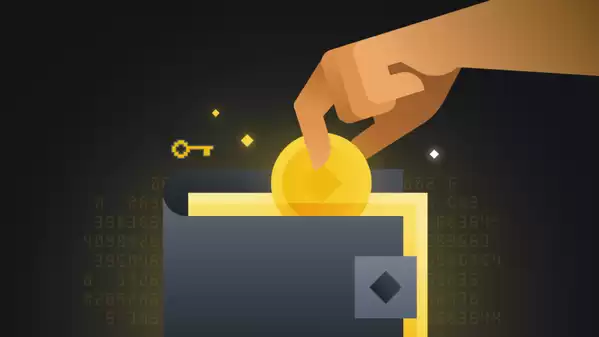
A cold wallet is a cryptocurrency storage system that is not connected to the internet, making it highly secure from online threats. Unlike hot wallets, which are accessible online, cold wallets store private keys offline, providing an additional layer of protection against hacking and theft.
Benefits of Using a Cold Wallet:- Enhanced Security: Cold wallets eliminate the risk of online attacks, as they are not connected to the internet. This makes them an ideal storage option for large amounts of cryptocurrency.
- Reduced Vulnerability to Viruses and Malware: Cold wallets are not susceptible to malware or viruses that can compromise online storage systems.
- Protection Against Social Engineering Attacks: Cold wallets safeguard against social engineering scams, where hackers attempt to deceive users into revealing their private keys.
- Long-Term Storage: Cold wallets enable users to store their cryptocurrency securely for extended periods, making them suitable for long-term investment.
- Hardware Wallets: These are physical devices that store private keys and enable secure transactions offline.
- Paper Wallets: These are paper printouts containing the public and private keys for a cryptocurrency wallet.
- Shamir's Secret Sharing (SSS) Wallets: SSS wallets split private keys into multiple parts, requiring a predefined number of parts to reconstruct the key and access funds.
- Purchase a cold wallet: Select a reputable hardware wallet or create a paper wallet.
- Generate keys: Create a new public and private key pair on your cold wallet.
- Transfer funds: Send your cryptocurrency from a hot wallet or exchange to your cold wallet address.
- Store the wallet securely: Keep your cold wallet in a safe location, away from potential threats.
- Back up your keys: Create a backup of your private keys in case your cold wallet is lost or stolen.
Cold wallets are essential for securing cryptocurrency assets due to their enhanced security, protection against online threats, and long-term storage capabilities. By utilizing a cold wallet, cryptocurrency holders can safeguard their digital currency from malicious attacks and ensure its safety. It is crucial to research reputable cold wallet providers, store your wallet securely, and back up your private keys to ensure optimal protection.
Disclaimer:info@kdj.com
The information provided is not trading advice. kdj.com does not assume any responsibility for any investments made based on the information provided in this article. Cryptocurrencies are highly volatile and it is highly recommended that you invest with caution after thorough research!
If you believe that the content used on this website infringes your copyright, please contact us immediately (info@kdj.com) and we will delete it promptly.






- Canton Coin's Rollercoaster: High Fees, Price Dips, and Institutional Wins, Powered by CertiK Skynet
- 2026-10-15 20:35:01
- Navigating the Labyrinth of AI Ethics, Decision Making, and Thought Processes: A New York Dispatch
- 2026-10-15 16:35:01
- Starknet's Bold Leap: Eyeing Layer 1 Independence and Quantum-Resistant Cryptography by 2027
- 2026-10-15 08:45:01
- Strive Asset Management Accelerates Bitcoin Acquisition Strategy, Boosting Treasury Holdings
- 2026-10-15 08:45:01
- Solana Deepens China Market Engagement with Shanghai Office and Accelerate Tour
- 2026-10-15 04:55:01
- Bitcoin Price Today, Whale Moves $377.6M, Pepeto Buyers: Early Bird Catches the Crypto Worm
- 2026-10-15 04:45:01
Related knowledge

How to Add a Custom Token to a Sui Wallet
Oct 15,2026 at 07:39pm
Understanding Custom Token Integration1. Sui Wallet does not automatically detect or display all tokens deployed on the Sui blockchain. 2. Tokens must...

How to Find Your Sui Wallet Address in Slush Wallet
Oct 15,2026 at 04:40pm
Finding Your Sui Wallet Address in Slush Wallet1. Open the Slush Wallet application on your iOS or Android device and ensure you are logged into your ...

How to Add the Avalanche C-Chain Network to MetaMask
Oct 15,2026 at 11:00am
Network Configuration Steps1. Open the MetaMask browser extension and click the network selector located in the top-center area of the interface. 2. S...

How to Add USDC on the Base Network to MetaMask
Oct 15,2026 at 09:59am
Base Network Configuration Steps1. Open MetaMask browser extension and ensure it is updated to the latest version. 2. Click the network selector locat...

How to Recover USDT Sent to the Wrong Network in Trust Wallet
Oct 15,2026 at 11:19am
Understanding Network Mismatch Errors1. USDT exists across multiple blockchains including TRON, Ethereum, BSC, and Solana — each with its own address ...

How to Change the Network Fee for a Bitcoin Transfer in Coinbase Wallet
Oct 15,2026 at 02:40pm
Understanding Bitcoin Network Fee Mechanics1. Bitcoin transaction fees are not set by wallet providers like Coinbase Wallet but are determined by the ...
How to Add a Custom Token to a Sui Wallet
Oct 15,2026 at 07:39pm
Understanding Custom Token Integration1. Sui Wallet does not automatically detect or display all tokens deployed on the Sui blockchain. 2. Tokens must...
How to Find Your Sui Wallet Address in Slush Wallet
Oct 15,2026 at 04:40pm
Finding Your Sui Wallet Address in Slush Wallet1. Open the Slush Wallet application on your iOS or Android device and ensure you are logged into your ...
How to Add the Avalanche C-Chain Network to MetaMask
Oct 15,2026 at 11:00am
Network Configuration Steps1. Open the MetaMask browser extension and click the network selector located in the top-center area of the interface. 2. S...
How to Add USDC on the Base Network to MetaMask
Oct 15,2026 at 09:59am
Base Network Configuration Steps1. Open MetaMask browser extension and ensure it is updated to the latest version. 2. Click the network selector locat...
How to Recover USDT Sent to the Wrong Network in Trust Wallet
Oct 15,2026 at 11:19am
Understanding Network Mismatch Errors1. USDT exists across multiple blockchains including TRON, Ethereum, BSC, and Solana — each with its own address ...
How to Change the Network Fee for a Bitcoin Transfer in Coinbase Wallet
Oct 15,2026 at 02:40pm
Understanding Bitcoin Network Fee Mechanics1. Bitcoin transaction fees are not set by wallet providers like Coinbase Wallet but are determined by the ...
See all articles


