














-
 bitcoin
 $83957.731555 USD
1.09% - ethereum
$2707.672309 USD
2.28% - tether
$0.999601 USD
0.01% - bnb
$767.737573 USD
0.59% - xrp
$1.504228 USD
1.61% - usd-coin
$1.000070 USD
0.02% - solana
$119.467955 USD
0.71% - tron
$0.334923 USD
0.34% - zcash
$1422.665327 USD
-8.02% - hyperliquid
$88.309849 USD
-0.91% - dogecoin
$0.094847 USD
2.10% - chainlink
$15.113620 USD
9.67% - monero
$542.499853 USD
1.68% - cardano
$0.249405 USD
1.76% - unus-sed-leo
$9.063597 USD
-0.10%











How to buy NFT with Web3 wallet?
Using a Web3 wallet allows you to conveniently and securely purchase NFTs from various marketplaces, ensuring the authenticity and transparency of your transactions.
Oct 19, 2024 at 09:36 am
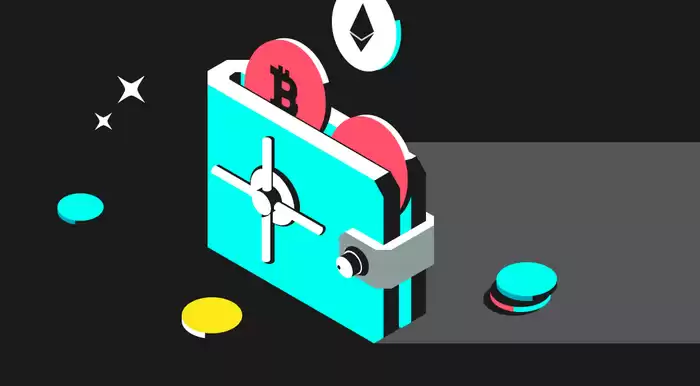
How to Buy NFT with Web3 Wallet
NFTs, or non-fungible tokens, have gained immense popularity in recent years as a way to own and trade unique digital items. While there are numerous ways to buy NFTs, using a Web3 wallet offers a convenient and secure method.
Step 1: Set up a Web3 Wallet
- Install a reputable Web3 wallet such as MetaMask, Coinbase Wallet, or Trust Wallet.
- Create a new wallet and secure it with a strong password and recovery phrase.
Step 2: Fund Your Wallet
- Purchase cryptocurrencies such as ETH or BNB through your Web3 wallet or an exchange like OKX.
- Transfer the funds to your Web3 wallet address.
Step 3: Connect to an NFT Marketplace
- Visit an NFT marketplace such as OpenSea, Rarible, or SuperRare.
- Connect your Web3 wallet to the marketplace by clicking the "Connect Wallet" button.
Step 4: Browse and Select an NFT
- Explore the available NFTs on the marketplace based on your preferences and interests.
- Click on an NFT you wish to purchase to view its details.
Step 5: Place a Bid or Make an Offer
- If the NFT has a reserve price, you can place a bid.
- Alternatively, you can make a direct offer to the seller.
Step 6: Finalize the Transaction
- Review the transaction details including the price, gas fees, and estimated completion time.
- Confirm the transaction using your Web3 wallet and provide the necessary authorization.
Step 7: Access Your NFT
- Once the transaction is completed, the NFT will be transferred to your Web3 wallet.
- You can view and manage your NFT within your wallet.
Additional Considerations:
- Gas Fees: Transactions on the blockchain require a fee known as gas. The fees can vary depending on the network traffic and congestion.
- Wallet Security: Ensure your Web3 wallet is protected with a strong password and two-factor authentication.
- NFT Authenticity: Be cautious of purchasing NFTs from illegitimate sources or creators. Verify the authenticity of the NFT before making a purchase.
Disclaimer:info@kdj.com
The information provided is not trading advice. kdj.com does not assume any responsibility for any investments made based on the information provided in this article. Cryptocurrencies are highly volatile and it is highly recommended that you invest with caution after thorough research!
If you believe that the content used on this website infringes your copyright, please contact us immediately (info@kdj.com) and we will delete it promptly.





- LINK Price Surge: Chainlink Analysis and Prediction Fueled by CCIP 2.0 Launch
- 2026-09-29 12:55:02
- Robinhood Chain Sees Surge in Perps as Spot Trading Cools Amidst Broader Market Shifts
- 2026-09-29 12:55:02
- InterLink Users Can Now Spend ITL on Real-World Goods, Boosting ITL Usage
- 2026-09-29 13:00:01
- Robinhood, GameStop, and Sei: A New Era of Trading Infrastructure Unfolds
- 2026-09-29 13:00:01
- Quant Partnership Powers On-Chain Money, Hedera HBAR Surges Amidst Global Tokenization Push
- 2026-09-29 13:05:01
- Ethereum Transfers Get a Speed Boost: Chainlink's CCIP 2.0 Slashes Transfer Times, Enhancing Fast Ethereum Transfers and Overall Ethereum Transfer Speed
- 2026-09-29 13:05:02
Related knowledge

How to protect a Phantom Wallet from scams?
Sep 21,2026 at 10:00am
Bitcoin Halving Mechanics1. Bitcoin’s protocol enforces a fixed issuance schedule where block rewards are cut in half approximately every 210,000 bloc...
How to import a recovery phrase into Phantom Wallet?
Sep 28,2026 at 04:40pm
Bitcoin Halving Mechanics1. Bitcoin’s protocol enforces a fixed issuance schedule where block rewards are cut in half approximately every 210,000 bloc...

How to import a private key into MetaMask?
Sep 21,2026 at 06:00pm
Market Volatility Patterns1. Price swings exceeding 15% within a 24-hour window have occurred in over 68% of Bitcoin’s trading days since 2021. 2. Eth...

How to export a private key from Trust Wallet?
Sep 27,2026 at 12:19am
Bitcoin Halving Mechanics1. Bitcoin’s protocol enforces a fixed issuance schedule where block rewards are cut in half approximately every 210,000 bloc...

How to restore MetaMask on a new device?
Sep 28,2026 at 08:39am
Recovery Phrase Verification1. Launch MetaMask on the new device and select “Import wallet” instead of “Create a new wallet”. 2. Enter the full 12-wor...

How to restore Phantom Wallet on a new phone?
Sep 27,2026 at 03:59pm
Restoring Phantom Wallet on a New Device1. Install the Phantom mobile app from the official App Store or Google Play Store. 2. Launch the app and tap ...
How to protect a Phantom Wallet from scams?
Sep 21,2026 at 10:00am
Bitcoin Halving Mechanics1. Bitcoin’s protocol enforces a fixed issuance schedule where block rewards are cut in half approximately every 210,000 bloc...
How to import a recovery phrase into Phantom Wallet?
Sep 28,2026 at 04:40pm
Bitcoin Halving Mechanics1. Bitcoin’s protocol enforces a fixed issuance schedule where block rewards are cut in half approximately every 210,000 bloc...
How to import a private key into MetaMask?
Sep 21,2026 at 06:00pm
Market Volatility Patterns1. Price swings exceeding 15% within a 24-hour window have occurred in over 68% of Bitcoin’s trading days since 2021. 2. Eth...
How to export a private key from Trust Wallet?
Sep 27,2026 at 12:19am
Bitcoin Halving Mechanics1. Bitcoin’s protocol enforces a fixed issuance schedule where block rewards are cut in half approximately every 210,000 bloc...
How to restore MetaMask on a new device?
Sep 28,2026 at 08:39am
Recovery Phrase Verification1. Launch MetaMask on the new device and select “Import wallet” instead of “Create a new wallet”. 2. Enter the full 12-wor...
How to restore Phantom Wallet on a new phone?
Sep 27,2026 at 03:59pm
Restoring Phantom Wallet on a New Device1. Install the Phantom mobile app from the official App Store or Google Play Store. 2. Launch the app and tap ...
See all articles


