


















-
 bitcoin
 $87959.907984 USD
1.34% - ethereum
$2920.497338 USD
3.04% - tether
$0.999775 USD
0.00% - xrp
$2.237324 USD
8.12% - bnb
$860.243768 USD
0.90% - solana
$138.089498 USD
5.43% - usd-coin
$0.999807 USD
0.01% - tron
$0.272801 USD
-1.53% - dogecoin
$0.150904 USD
2.96% - cardano
$0.421635 USD
1.97% - hyperliquid
$32.152445 USD
2.23% - bitcoin-cash
$533.301069 USD
-1.94% - chainlink
$12.953417 USD
2.68% - unus-sed-leo
$9.535951 USD
0.73% - zcash
$521.483386 USD
-2.87%











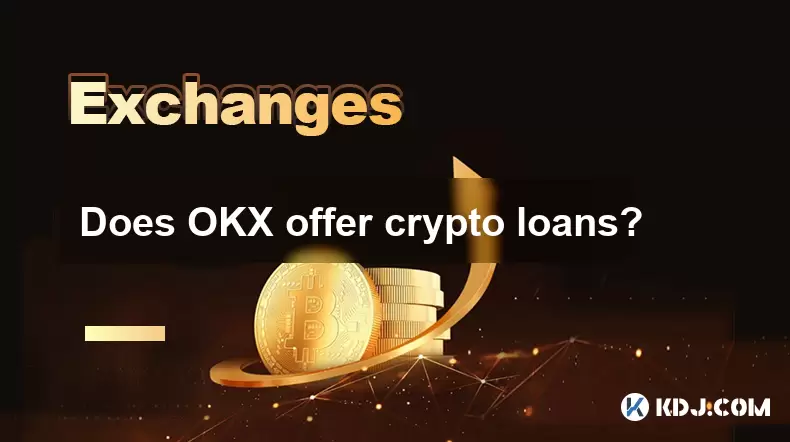
Does OKX offer crypto loans?
OKX offers secure crypto loans, letting users borrow stablecoins or fiat by collateralizing assets like BTC or ETH.
Jul 09, 2025 at 09:36 am
Understanding Crypto Loans on OKX
OKX is one of the leading cryptocurrency exchanges globally, offering a wide range of financial services including trading, staking, and crypto loans. For users looking to leverage their crypto holdings without selling them, OKX provides a secure and efficient lending platform that allows individuals to borrow fiat or stablecoins using their digital assets as collateral.
Crypto loans on OKX are structured in such a way that users can access liquidity instantly while maintaining ownership of their crypto assets. The process involves depositing your crypto into a lending pool, setting loan parameters, and then receiving funds based on the value of the deposited collateral.
Important Note: The availability of specific crypto loans may vary by region and user verification level.
How to Access Crypto Loans on OKX
To start borrowing on OKX, you need to have an account and complete the necessary identity verification steps. Once verified, follow these steps:
- Navigate to the Finance section within the OKX app or website.
- Select the Crypto Loan option from the available financial products.
- Choose the type of asset you want to use as collateral (e.g., BTC, ETH).
- Specify the amount of the loan you wish to receive in USD or another supported stablecoin.
- Review the interest rate, repayment period, and liquidation threshold before confirming the loan.
Each loan comes with its own set of terms and conditions, which must be carefully reviewed before proceeding. The loan-to-value (LTV) ratio determines how much you can borrow relative to your collateral’s value.
Supported Collateral and Borrowable Assets
OKX supports a variety of cryptocurrencies for use as collateral. These include major coins like Bitcoin (BTC), Ethereum (ETH), Binance Coin (BNB), and Tether (USDT). The list of supported assets is regularly updated based on market demand and network stability.
When it comes to borrowable assets, OKX typically offers stablecoins like USDT, USDC, and sometimes fiat currencies depending on regional regulations. The interest rates for borrowing vary based on supply and demand dynamics within the platform’s lending pools.
Key Detail: Users should always check the current LTV ratios and interest rates before initiating a loan.
Risks and Considerations When Taking a Crypto Loan
While crypto loans offer a convenient way to unlock liquidity, they come with inherent risks. One of the most significant concerns is liquidation risk. If the value of your collateral drops below the required threshold, your position may be automatically liquidated to cover the outstanding loan.
Additionally, interest payments accumulate over time, so borrowers must plan for timely repayments to avoid excessive costs. It's also important to understand that during periods of high market volatility, sudden price swings can trigger margin calls or forced liquidation events.
Important Reminder: Always monitor your loan status and maintain a safe LTV ratio to avoid unexpected liquidation.
Repaying Your Crypto Loan on OKX
Repaying a crypto loan on OKX is straightforward. Once logged into your account, navigate back to the Crypto Loan dashboard and locate your active loan. Click on the repayment option and choose whether to make a partial or full repayment.
The repayment process requires transferring the borrowed amount plus accrued interest back to the lending pool. Upon successful repayment, your collateral will be released and returned to your wallet or account balance.
- Ensure sufficient funds are available in your spot wallet before initiating repayment.
- Check the exact repayment amount, including interest, displayed on the confirmation screen.
- Confirm the transaction once all details are accurate.
Failure to repay within the agreed-upon timeframe may result in penalties or automatic liquidation of your collateral.
Frequently Asked Questions
Q1: Can I use multiple cryptocurrencies as collateral for a single loan?Currently, OKX allows only one type of cryptocurrency to be used per loan. However, users can open multiple loan positions using different assets simultaneously.
Q2: What happens if my loan gets liquidated?If your collateral value falls below the liquidation threshold, your position will be closed automatically. The proceeds will go toward repaying the loan, and any remaining funds may be returned to your account.
Q3: Are there any fees associated with taking out a crypto loan on OKX?OKX does not charge additional fees beyond the standard interest rates. However, blockchain transaction fees may apply when moving your collateral or repayments.
Q4: Is there a minimum loan term or amount?Yes, OKX sets minimum thresholds for both loan amounts and durations. These vary depending on the asset and are clearly displayed when configuring your loan.
Disclaimer:info@kdj.com
The information provided is not trading advice. kdj.com does not assume any responsibility for any investments made based on the information provided in this article. Cryptocurrencies are highly volatile and it is highly recommended that you invest with caution after thorough research!
If you believe that the content used on this website infringes your copyright, please contact us immediately (info@kdj.com) and we will delete it promptly.






- Bitcoin, eCash Fork, and Airdrop Dynamics: A Deep Dive into Crypto's Latest Controversies
- 2026-05-03 12:55:01
- Consensus 2026 Miami: Web3, Blockchain, Cryptocurrency, NFTs, Metaverse, Conference, May 5th — Where Wall Street Meets the Digital Frontier
- 2026-05-02 12:45:01
- Fed Holds Rates Steady, Triggering Bitcoin Price Drop Amidst Geopolitical Tensions
- 2026-05-01 06:45:01
- Bitcoin Miners Electrify the Grid: Ohio Gas Plant Acquisition Powers Up a New Era for Digital Gold
- 2026-05-01 00:45:01
- MegaETH's MEGA Token Hits the Big Apple: Setting New Performance Benchmarks for Real-Time Blockchain
- 2026-05-01 00:55:01
- Solana's Slippery Slope: Price Prediction Points to Resistance Loss and Potential Further Drops
- 2026-05-01 06:45:01
Related knowledge
How to export trading history from Binance account?
Jul 03,2026 at 05:59pm
Web Interface Export Method1. Navigate to www.binance.com and log in using two-factor authentication. 2. Hover over the top navigation bar labeled Tra...
How to prevent phishing scams on crypto exchanges?
Jul 01,2026 at 10:40am
Enable Two-Factor Authentication (2FA) Rigorously1. Always activate 2FA using an authenticator app like Google Authenticator or Authy instead of SMS-b...
How to enable auto-compound staking rewards on Binance Earn?
Jul 03,2026 at 05:19pm
Auto-Compound Staking Mechanics on Binance Earn1. Auto-compound functionality is not natively enabled across all Binance Earn products. It operates on...
How to switch between BTC and USDT markets on OKX?
Jun 28,2026 at 07:40am
Accessing the Trading Interface1. Log in to your OKX account via the official website or mobile application. Ensure two-factor authentication is enabl...
How to use isolated margin mode on Bybit?
Jun 28,2026 at 04:20pm
Understanding Isolated Margin Mode1. Isolated margin mode allocates a fixed amount of collateral exclusively to a single position, preventing cross-co...
How to understand maker vs taker fees on Binance?
Jul 04,2026 at 02:39pm
Core Definition of Maker and Taker Roles1. A maker is a user who places a limit order that does not execute immediately because its price is worse tha...
How to export trading history from Binance account?
Jul 03,2026 at 05:59pm
Web Interface Export Method1. Navigate to www.binance.com and log in using two-factor authentication. 2. Hover over the top navigation bar labeled Tra...
How to prevent phishing scams on crypto exchanges?
Jul 01,2026 at 10:40am
Enable Two-Factor Authentication (2FA) Rigorously1. Always activate 2FA using an authenticator app like Google Authenticator or Authy instead of SMS-b...
How to enable auto-compound staking rewards on Binance Earn?
Jul 03,2026 at 05:19pm
Auto-Compound Staking Mechanics on Binance Earn1. Auto-compound functionality is not natively enabled across all Binance Earn products. It operates on...
How to switch between BTC and USDT markets on OKX?
Jun 28,2026 at 07:40am
Accessing the Trading Interface1. Log in to your OKX account via the official website or mobile application. Ensure two-factor authentication is enabl...
How to use isolated margin mode on Bybit?
Jun 28,2026 at 04:20pm
Understanding Isolated Margin Mode1. Isolated margin mode allocates a fixed amount of collateral exclusively to a single position, preventing cross-co...
How to understand maker vs taker fees on Binance?
Jul 04,2026 at 02:39pm
Core Definition of Maker and Taker Roles1. A maker is a user who places a limit order that does not execute immediately because its price is worse tha...
See all articles


