


















-
 bitcoin
 $82982.562695 USD
-1.16% - ethereum
$2661.020919 USD
-1.72% - tether
$0.999550 USD
-0.01% - bnb
$756.317943 USD
-1.48% - xrp
$1.490677 USD
-0.90% - usd-coin
$0.999987 USD
-0.01% - solana
$117.945380 USD
-1.27% - tron
$0.337404 USD
0.74% - zcash
$1392.072866 USD
-2.15% - hyperliquid
$85.340296 USD
-3.36% - dogecoin
$0.093066 USD
-1.88% - chainlink
$14.272139 USD
-5.57% - monero
$537.156707 USD
-0.98% - cardano
$0.242186 USD
-2.89% - unus-sed-leo
$9.030119 USD
-0.37%










how to claim red packet in binance
To claim a Binance Red Packet, locate it in the "Red Packet" section, tap or click "Claim," input the verification code, and the cryptocurrency will be credited to your account.
Oct 19, 2024 at 03:41 am
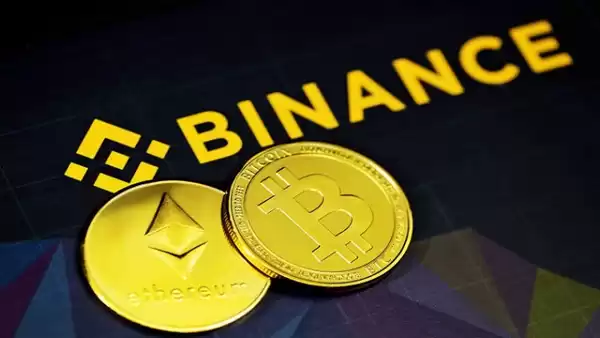
Binance Red Packet is a feature that allows users to send and receive cryptocurrency as a form of a gift. These red packets can contain various amounts of cryptocurrency and can be claimed by the recipient by following the steps below:
Step 1: Open Binance App or WebsiteLaunch the Binance app or visit the Binance website on your preferred device.
Step 2: Navigate to Red Packet Section- For the app: Tap the "Red Packet" icon on the home page.
- For the website: Click on "Earn" from the top menu, then select "Red Packet" from the left side menu.
In the Red Packet section, you will see a list of available red packets. It may have been sent to you directly or shared with you in a group chat.
Step 4: Claim the Red PacketTap or click the "Claim" button for the red packet you wish to receive.
Step 5: Input Verification CodeA verification code will be sent to your registered email or mobile phone number. Enter the code to complete the claiming process.
Step 6: Check BalanceOnce claimed, the cryptocurrency contained in the red packet will be credited to your Binance account. You can check your balance by navigating to "Wallet" from the menu.
Additional Tips:- Red packets have a limited validity period, so claim them before they expire.
- Some red packets may have specific eligibility criteria, such as holding a certain amount of BNB or being a VIP user.
- If you encounter any issues, contact Binance support for assistance.
Disclaimer:info@kdj.com
The information provided is not trading advice. kdj.com does not assume any responsibility for any investments made based on the information provided in this article. Cryptocurrencies are highly volatile and it is highly recommended that you invest with caution after thorough research!
If you believe that the content used on this website infringes your copyright, please contact us immediately (info@kdj.com) and we will delete it promptly.






- XRP and Bitcoin See Innovative Inheritance Features and Market Volatility
- 2026-10-01 04:35:01
- Datavecta Forges Global Community Ecosystem to Power International Growth Through Advanced SEO Strategy
- 2026-09-30 20:35:01
- Illinois Rolls Out Draft Rules for 0.2% Crypto Transaction Tax, Set for 2027
- 2026-09-30 13:00:01
- Crypto.com AI Agent: A Super Bowl Splash Still Brewing in Stealth Mode
- 2026-09-30 13:00:01
- Apeing Leads the Charge: Unveiling the Next 100x Crypto Watchlist and 6 Coins to Eye
- 2026-09-30 12:55:01
- Official Filings Go Viral, Ari Paul's Coinbase Allegation Lags: A Look at News Dissemination Speed
- 2026-09-30 12:55:01
Related knowledge
How to Use Gate.io Copy Trading to Set a Maximum Investment Amount?
Oct 01,2026 at 06:39am
Bitcoin Halving Mechanics1. Bitcoin’s protocol enforces a fixed issuance schedule where block rewards are cut in half approximately every 210,000 bloc...
How to Set a Kraken Price Alert for a Specific Altcoin Trading Pair?
Oct 01,2026 at 06:59am
Accessing the Kraken Dashboard1. Log in to your Kraken account using verified credentials and two-factor authentication. 2. Navigate to the “Trade” se...
How to Calculate the Funding Fee for an OKX Perpetual Swap Before Holding Overnight?
Sep 30,2026 at 05:19pm
Funding Rate Fundamentals1. The funding rate is a periodic payment mechanism designed to tether perpetual swap prices to the underlying spot index. It...
How to Cancel a Bybit Withdrawal Request When the Transaction Is Still Pending?
Oct 01,2026 at 02:40am
Understanding Pending Withdrawal Status on Bybit1. A withdrawal request on Bybit enters a pending state immediately after submission and before blockc...
How to Find the Average Entry Price of Multiple Binance Futures Orders?
Sep 30,2026 at 04:00pm
Understanding Position Averaging in Binance Futures1. Binance Futures calculates the average entry price by weighting each executed order’s price by i...
How to Set a Binance Futures Take-Profit Target Based on Your Entry Price?
Sep 30,2026 at 08:59pm
Understanding Take-Profit Mechanics on Binance Futures1. A take-profit (TP) order on Binance Futures is a conditional instruction that automatically c...
How to Use Gate.io Copy Trading to Set a Maximum Investment Amount?
Oct 01,2026 at 06:39am
Bitcoin Halving Mechanics1. Bitcoin’s protocol enforces a fixed issuance schedule where block rewards are cut in half approximately every 210,000 bloc...
How to Set a Kraken Price Alert for a Specific Altcoin Trading Pair?
Oct 01,2026 at 06:59am
Accessing the Kraken Dashboard1. Log in to your Kraken account using verified credentials and two-factor authentication. 2. Navigate to the “Trade” se...
How to Calculate the Funding Fee for an OKX Perpetual Swap Before Holding Overnight?
Sep 30,2026 at 05:19pm
Funding Rate Fundamentals1. The funding rate is a periodic payment mechanism designed to tether perpetual swap prices to the underlying spot index. It...
How to Cancel a Bybit Withdrawal Request When the Transaction Is Still Pending?
Oct 01,2026 at 02:40am
Understanding Pending Withdrawal Status on Bybit1. A withdrawal request on Bybit enters a pending state immediately after submission and before blockc...
How to Find the Average Entry Price of Multiple Binance Futures Orders?
Sep 30,2026 at 04:00pm
Understanding Position Averaging in Binance Futures1. Binance Futures calculates the average entry price by weighting each executed order’s price by i...
How to Set a Binance Futures Take-Profit Target Based on Your Entry Price?
Sep 30,2026 at 08:59pm
Understanding Take-Profit Mechanics on Binance Futures1. A take-profit (TP) order on Binance Futures is a conditional instruction that automatically c...
See all articles


