














-
 bitcoin
 $86353.520310 USD
1.06% - ethereum
$2748.504094 USD
0.61% - tether
$0.999805 USD
0.00% - bnb
$789.713139 USD
0.35% - xrp
$1.621177 USD
6.50% - usd-coin
$0.999968 USD
-0.01% - solana
$118.732892 USD
1.75% - tron
$0.343839 USD
-1.32% - zcash
$1622.688363 USD
8.33% - hyperliquid
$97.151941 USD
2.83% - dogecoin
$0.101886 USD
2.10% - monero
$571.352536 USD
-0.93% - chainlink
$13.016236 USD
0.75% - cardano
$0.257732 USD
5.00% - unus-sed-leo
$8.985389 USD
0.15%











How to withdraw from Binance contract
To withdraw funds from your Binance contract account, ensure you have completed identity verification, enabled 2FA, and chosen the contract you want to withdraw from.
Nov 07, 2024 at 02:17 pm
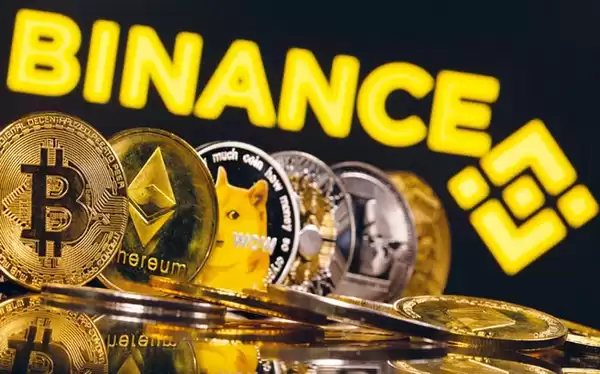
Binance, one of the world's leading cryptocurrency exchanges, offers a comprehensive range of trading options, including contract trading. Contract trading, also known as futures trading, allows traders to speculate on the future price of an asset without actually owning it. While contract trading can be a lucrative opportunity, it's crucial to understand the process of withdrawing funds from a Binance contract account. This article will provide a detailed guide on how to withdraw from Binance contract.
Before You Begin- Ensure You Have a Binance Account: To withdraw from Binance contract, you must have a registered Binance account. If you don't have one, visit the Binance website, click on "Register," and follow the instructions to create an account.
- Complete Identity Verification: Binance requires users to complete identity verification before enabling withdrawals. This process involves providing personal information, such as your name, address, and a government-issued ID. You can initiate the verification process by clicking on "Account" and then "Verification."
- Enable Two-Factor Authentication (2FA): 2FA adds an extra layer of security to your Binance account by requiring a second form of authentication when logging in or withdrawing funds. You can enable 2FA through the "Security" tab in your account settings.
- Log in to Your Binance Account: Visit the Binance website or launch the Binance app and log in with your credentials.
- Navigate to the Contract Trading Interface: Click on "Derivatives" at the top of the page and select "Contract Trading" from the drop-down menu. This will take you to the contract trading interface.
- Select the Contract You Want to Withdraw From: Choose the contract you want to withdraw from by clicking on its symbol in the left-hand menu.
- Open the Withdrawal Page: Click on the "Withdraw" button located in the top-right corner of the contract trading interface.
- Enter the Withdrawal Details: Specify the amount you want to withdraw, select the withdrawal currency, and provide the recipient's address. The recipient's address can be a Binance wallet address or an external wallet address.
- Review and Confirm the Withdrawal: Carefully check the withdrawal details to ensure their accuracy. Once satisfied, click on the "Confirm Withdrawal" button.
- Enter the 2FA Code: You will be prompted to enter the 2FA code sent to your registered device. Enter the code and click on "Submit" to complete the withdrawal process.
- Withdrawal Fees: Binance charges a small withdrawal fee for contract withdrawals. The fee varies depending on the asset and withdrawal method. You can check the withdrawal fee for a particular asset by visiting the "Withdrawal Fee" page in the Binance Help Center.
- Withdrawal Processing Time: Binance typically processes withdrawals within 24 hours, but it can take longer during periods of high trading volume. You can check the status of your withdrawal by visiting the "Withdrawal History" page in your account.
- Withdrawal Limits: Binance imposes daily and monthly withdrawal limits on contract trading accounts. These limits vary depending on the user's verification level and other factors. You can check the withdrawal limits for your account by visiting the "Account Limits" page in your account settings.
- Security Considerations: Always ensure that you are withdrawing to a secure recipient address. Double-check the address before confirming the withdrawal. Additionally, avoid withdrawing large amounts of funds during periods of market volatility to minimize the risk of loss.
Disclaimer:info@kdj.com
The information provided is not trading advice. kdj.com does not assume any responsibility for any investments made based on the information provided in this article. Cryptocurrencies are highly volatile and it is highly recommended that you invest with caution after thorough research!
If you believe that the content used on this website infringes your copyright, please contact us immediately (info@kdj.com) and we will delete it promptly.






- Pepeto, XRP, and SHIB: Navigating the Next Wave in Crypto's Dynamic Landscape
- 2026-09-24 04:55:01
- MoonPay Acquires North Capital, Bolstering Private Markets Infrastructure for Tokenized Assets
- 2026-09-24 04:55:01
- Blockchain.com and NYSE Forge Ahead in Tokenized Securities with Global 24/7 Trading Vision
- 2026-09-24 05:00:01
- Circle's Stablecoin Chain, USDC, and Stablecoin Chain Dynamics: A New Era Dawns
- 2026-09-24 05:00:01
- Injective's Innovative Token Burn and Stockdrop Program Connects Crypto with Real-World Assets
- 2026-09-24 05:05:01
- TRON Blockchain: The New King of Revenue, Driven by Stablecoins and Smart Strategy
- 2026-09-24 05:05:01
Related knowledge

How to Adjust HYPEUSDT Futures Leverage?
Sep 21,2026 at 03:40pm
Understanding HYPEUSDT Futures Leverage Mechanics1. HYPEUSDT is a perpetual futures contract traded on several decentralized and centralized exchanges...

How to Check HYPEUSDT Perpetual Mark Price?
Sep 21,2026 at 03:00am
Understanding Mark Price in Perpetual Contracts1. Mark price is a calculated reference value used to prevent manipulation of settlement and liquidatio...

How to Calculate HYPEUSDT Futures PnL?
Sep 24,2026 at 12:00am
Understanding HYPEUSDT Futures Contract Specifications1. HYPEUSDT is a perpetual futures contract traded on decentralized and centralized exchanges su...

How to Find HYPEUSDT Futures Long Short Ratio?
Sep 21,2026 at 08:40pm
Market Volatility Patterns1. Price swings exceeding 15% within a 24-hour window occur regularly across major altcoins during low-liquidity periods. 2....
How to Find the HYPEUSDT Perpetual Contract Price?
Sep 21,2026 at 09:39am
Market Volatility Patterns1. Bitcoin price swings often exceed 15% within a 48-hour window during major macroeconomic announcements. 2. Altcoin correl...
How to Check HYPEUSDT Futures Real-Time Price?
Sep 22,2026 at 02:19am
Bitcoin Halving Mechanics1. Bitcoin’s protocol enforces a fixed issuance schedule where block rewards are cut in half approximately every 210,000 bloc...
How to Adjust HYPEUSDT Futures Leverage?
Sep 21,2026 at 03:40pm
Understanding HYPEUSDT Futures Leverage Mechanics1. HYPEUSDT is a perpetual futures contract traded on several decentralized and centralized exchanges...
How to Check HYPEUSDT Perpetual Mark Price?
Sep 21,2026 at 03:00am
Understanding Mark Price in Perpetual Contracts1. Mark price is a calculated reference value used to prevent manipulation of settlement and liquidatio...
How to Calculate HYPEUSDT Futures PnL?
Sep 24,2026 at 12:00am
Understanding HYPEUSDT Futures Contract Specifications1. HYPEUSDT is a perpetual futures contract traded on decentralized and centralized exchanges su...
How to Find HYPEUSDT Futures Long Short Ratio?
Sep 21,2026 at 08:40pm
Market Volatility Patterns1. Price swings exceeding 15% within a 24-hour window occur regularly across major altcoins during low-liquidity periods. 2....
How to Find the HYPEUSDT Perpetual Contract Price?
Sep 21,2026 at 09:39am
Market Volatility Patterns1. Bitcoin price swings often exceed 15% within a 48-hour window during major macroeconomic announcements. 2. Altcoin correl...
How to Check HYPEUSDT Futures Real-Time Price?
Sep 22,2026 at 02:19am
Bitcoin Halving Mechanics1. Bitcoin’s protocol enforces a fixed issuance schedule where block rewards are cut in half approximately every 210,000 bloc...
See all articles


