










![※Breaking News※ [Ripple XRP] $4 will go first this year!! Exceeded 5,500 won per piece!! Market capitalization is a whopping 543 trillion won!! It was crazy!!](/uploads/2026/09/28/cryptocurrencies-news/videos/origin_6aba3643acb8c_image_500_375.webp "※Breaking News※ [Ripple XRP] $4 will go first this year!! Exceeded 5,500 won per piece!! Market capitalization is a whopping 543 trillion won!! It was crazy!!")






-
 bitcoin
 $83069.738644 USD
-1.71% - ethereum
$2647.234855 USD
-2.15% - tether
$0.999549 USD
-0.01% - bnb
$763.231625 USD
-1.53% - xrp
$1.480335 USD
-2.74% - usd-coin
$0.999917 USD
0.01% - solana
$118.627399 USD
-2.28% - tron
$0.333784 USD
0.19% - zcash
$1546.788972 USD
-6.91% - hyperliquid
$89.122220 USD
-3.89% - dogecoin
$0.092894 USD
-4.17% - chainlink
$13.780821 USD
-3.63% - monero
$533.616649 USD
-4.01% - cardano
$0.245086 USD
-4.10% - unus-sed-leo
$9.072685 USD
0.08%











How to play Ethereum contract
To interact with Ethereum contracts, users must install a wallet like Metamask, connect to the Ropsten test network, obtain test ETH, and follow specific steps to create, compile, deploy, and interact with the contracts.
Nov 12, 2024 at 05:38 pm
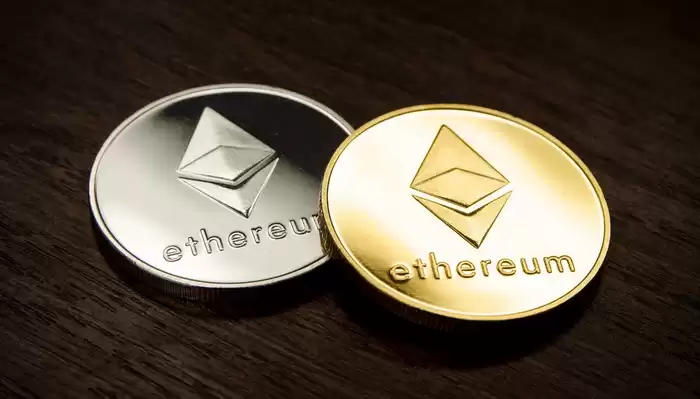
Ethereum contracts, also known as smart contracts, are autonomous programs stored on the Ethereum blockchain. They execute code automatically, allowing parties to interact with each other without the need for intermediaries. This tutorial provides a comprehensive guide on how to create and interact with Ethereum contracts.
Step 1: Install Metamask- Download and install Metamask on your browser.
- Create a new wallet or import an existing one.
- Add the Ethereum mainnet to your Metamask account.
- In Metamask, navigate to the "Networks" tab.
Click on "Add Network" and enter the following details:
- Network Name: Ropsten Test Network
- RPC URL: https://ropsten.infura.io/v3/YOUR_PROJECT_ID
- Chain ID: 3
- Currency Symbol: ROP
- Click on "Save."
- Visit a faucet website such as ropsten.faucet.enjin.io to obtain test ETH.
- Enter your Metamask wallet address and click on "Send me ETH."
- Navigate to Remix IDE (https://remix.ethereum.org/).
- Click on the "Create New File" button and select "Solidity File."
- Paste the following code into the Solidity file:
pragma solidity ^0.8.0;

contract Greeter {
    string public greeting;

    constructor() {
        greeting = "Hello, world!";
    }

    function greet() public view returns (string memory) {
        return greeting;
    }
}- Click on the "Compile" button in the Remix IDE.
- Make sure there are no errors.
- Click on the "Deploy" button.
- Select your Metamask account and click on "Deploy."
- A transaction window will appear in Metamask. Confirm the transaction and wait for it to be processed.
- Once the contract is deployed, click on the "Code" tab in Remix.
- Scroll down to find the "greet" function and click on the "call" button.
- The greeting message will be displayed.
- Use a reputable wallet to store your ETH and interact with contracts.
- Always test your contracts on a testnet before deploying them on the mainnet.
- Be aware of common vulnerabilities such as reentrancy attacks.
- Study the Solidity programming language to fully understand the capabilities of Ethereum contracts.
Disclaimer:info@kdj.com
The information provided is not trading advice. kdj.com does not assume any responsibility for any investments made based on the information provided in this article. Cryptocurrencies are highly volatile and it is highly recommended that you invest with caution after thorough research!
If you believe that the content used on this website infringes your copyright, please contact us immediately (info@kdj.com) and we will delete it promptly.





- Top Trader Predicts XRP Price Spike, Citing S-Curve Adoption and Utility
- 2026-09-29 04:45:01
- US SEC, Crypto Staff Guidance, CFTC Approach: A Regulatory Duet in the Digital Wild West
- 2026-09-29 04:45:01
- MemeToro Presale Surges Past $155K, Poised for 2026-27 Crypto Watchlists Amidst AI-Driven Innovation
- 2026-09-29 04:50:01
- Cardano News: ADA's Architectural Strength, Often Overlooked by Investors, Sets It Apart
- 2026-09-29 04:50:01
- Coinbase Unveils Expansive AI Agent Capabilities for Crypto, Stocks, and Derivatives Trading
- 2026-09-29 04:40:02
- Vitalik Buterin's Vision: Ethereum Evolves into a Cryptographic World Computer
- 2026-09-29 04:35:02
Related knowledge

How to Adjust HYPEUSDT Futures Leverage?
Sep 21,2026 at 03:40pm
Understanding HYPEUSDT Futures Leverage Mechanics1. HYPEUSDT is a perpetual futures contract traded on several decentralized and centralized exchanges...

How to Find HYPEUSDT Futures Trading Volume?
Sep 24,2026 at 09:00am
Accessing HYPEUSDT Futures Trading Volume Data1. Visit major cryptocurrency derivatives exchanges such as Bybit, OKX, and Binance that list HYPEUSDT p...

How to Check HYPEUSDT Perpetual Mark Price?
Sep 21,2026 at 03:00am
Understanding Mark Price in Perpetual Contracts1. Mark price is a calculated reference value used to prevent manipulation of settlement and liquidatio...

How to Calculate HYPEUSDT Futures PnL?
Sep 24,2026 at 12:00am
Understanding HYPEUSDT Futures Contract Specifications1. HYPEUSDT is a perpetual futures contract traded on decentralized and centralized exchanges su...

How to View HYPEUSDT Contract Liquidation Data?
Sep 25,2026 at 05:19am
Accessing HYPE/USDT Contract Liquidation Data1. Navigate to a reputable derivatives analytics platform such as Coinglass, Bybit Analytics, or OKX Insi...

How to Find HYPEUSDT Futures Long Short Ratio?
Sep 21,2026 at 08:40pm
Market Volatility Patterns1. Price swings exceeding 15% within a 24-hour window occur regularly across major altcoins during low-liquidity periods. 2....
How to Adjust HYPEUSDT Futures Leverage?
Sep 21,2026 at 03:40pm
Understanding HYPEUSDT Futures Leverage Mechanics1. HYPEUSDT is a perpetual futures contract traded on several decentralized and centralized exchanges...
How to Find HYPEUSDT Futures Trading Volume?
Sep 24,2026 at 09:00am
Accessing HYPEUSDT Futures Trading Volume Data1. Visit major cryptocurrency derivatives exchanges such as Bybit, OKX, and Binance that list HYPEUSDT p...
How to Check HYPEUSDT Perpetual Mark Price?
Sep 21,2026 at 03:00am
Understanding Mark Price in Perpetual Contracts1. Mark price is a calculated reference value used to prevent manipulation of settlement and liquidatio...
How to Calculate HYPEUSDT Futures PnL?
Sep 24,2026 at 12:00am
Understanding HYPEUSDT Futures Contract Specifications1. HYPEUSDT is a perpetual futures contract traded on decentralized and centralized exchanges su...
How to View HYPEUSDT Contract Liquidation Data?
Sep 25,2026 at 05:19am
Accessing HYPE/USDT Contract Liquidation Data1. Navigate to a reputable derivatives analytics platform such as Coinglass, Bybit Analytics, or OKX Insi...
How to Find HYPEUSDT Futures Long Short Ratio?
Sep 21,2026 at 08:40pm
Market Volatility Patterns1. Price swings exceeding 15% within a 24-hour window occur regularly across major altcoins during low-liquidity periods. 2....
See all articles


