















 |
|
 |
|
 |
|
 |
|
 |
|
 |
|
 |
|
 |
|
 |
|
 |
|
 |
|
 |
|
 |
|
 |
|
 |
|
仮想通貨ステーキングは、仮想通貨愛好家がデジタル資産で受動的収入を得る一般的な方法として浮上しています。 Dash のような暗号通貨をステーキングすることで
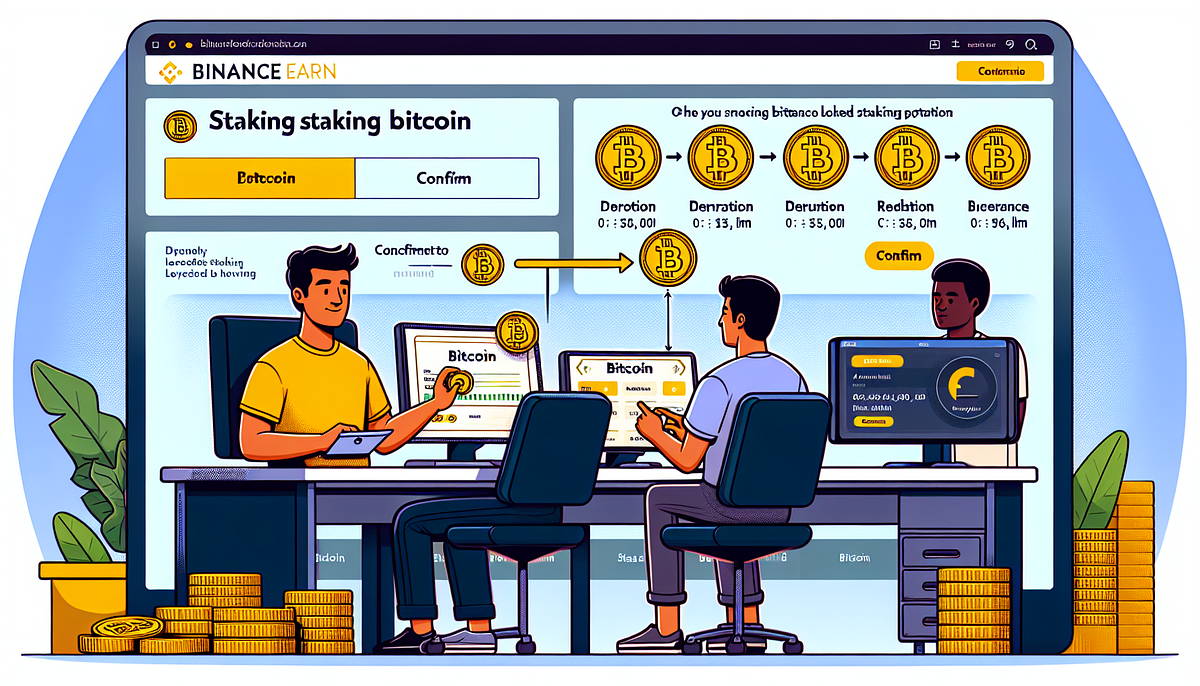
Crypto staking has quickly become a popular way for crypto enthusiasts to earn passive income on their digital assets. By staking cryptocurrencies like Dash on platforms such as Binance, users can access attractive APY rates and generate staking rewards without needing to actively trade or manage their holdings. With the rise of DeFi staking and the ability to easily stake coins, more and more people are exploring this innovative investment strategy.
仮想通貨ステーキングは、仮想通貨愛好家がデジタル資産で受動的収入を得る方法として急速に人気を集めています。 Binance などのプラットフォームで Dash のような暗号通貨をステーキングすることで、ユーザーは積極的に取引したり保有資産を管理したりすることなく、魅力的な APY レートにアクセスしてステーキング報酬を得ることができます。 DeFiステーキングの台頭とコインを簡単にステーキングできる機能により、この革新的な投資戦略を模索する人がますます増えています。
This step-by-step tutorial will guide you through the process of staking Dash on Binance, one of the world’s leading cryptocurrency exchanges. We’ll cover how to navigate the Binance staking platform, choose an appropriate staking pool based on factors like lock-up period and expected returns, connect your wallet and authorize transactions, and monitor your staking rewards over time. By the end, you’ll have all the knowledge needed to confidently participate in Dash staking and potentially grow your crypto portfolio.
このステップバイステップのチュートリアルでは、世界有数の暗号通貨取引所の 1 つである Binance に Dash をステーキングするプロセスを説明します。 Binance ステーキング プラットフォームの操作方法、ロックアップ期間や期待リターンなどの要素に基づいて適切なステーキング プールを選択する方法、ウォレットに接続してトランザクションを承認する方法、ステーキング報酬を長期にわたって監視する方法について説明します。最後には、自信を持って Dash ステーキングに参加し、仮想通貨ポートフォリオを成長させるために必要な知識をすべて身につけることができます。
Step 1: Access Binance and Navigate to Staking
ステップ 1: Binance にアクセスし、ステーキングに移動します
To begin your Crypto staking journey on Binance, the first step is to access your Binance account and navigate to the staking platform.
Binance で仮想通貨ステーキングの旅を始めるには、最初のステップは Binance アカウントにアクセスし、ステーキング プラットフォームに移動することです。
CLICK TO ENTER
クリックして入力してください
Choose Your Staking Option
ステーキングオプションを選択してください
Once logged in, hover over the “Earn” tab on the top navigation bar and select “Staking” from the dropdown menu. This will take you to the Binance Earn platform, where you can explore various staking options:
ログインしたら、上部ナビゲーションバーの「獲得」タブの上にマウスを置き、ドロップダウンメニューから「ステーキング」を選択します。これにより、Binance Earn プラットフォームに移動し、さまざまなステーキング オプションを探索できます。
Consider factors like APY, lock-in period, and your risk tolerance when deciding on the staking option that best suits your needs.
ニーズに最適なステーキングオプションを決定する際には、APY、ロックイン期間、リスク許容度などの要素を考慮してください。
Select Your Preferred Coin
好みのコインを選択してください
Browse through the available staking options and choose Dash as the cryptocurrency you want to stake. Keep in mind that not all cryptocurrencies on Binance are eligible for staking.
利用可能なステーキング オプションを参照し、ステーキングする暗号通貨として Dash を選択します。 Binance 上のすべての暗号通貨がステーキングの対象となるわけではないことに注意してください。
By following these initial steps, you’ll be well on your way to earning staking rewards on your Dash holdings through the Binance platform. Remember to always prioritize the safety of your funds by staking only on the official Binance platform and never sharing your login credentials with anyone.
これらの最初のステップに従うことで、Binance プラットフォームを通じて Dash 保有資産のステーキング報酬を獲得できるようになります。公式 Binance プラットフォームにのみステーキングし、ログイン資格情報を誰とも共有しないで、常に資金の安全性を優先することを忘れないでください。
Step 2: Choose Dash and Review Options
ステップ 2: ダッシュを選択し、オプションを確認する
After navigating to the Locked Staking page, you can explore the various staking options available on Binance. Here’s how to choose Dash for staking and review the important parameters:
「ロックされたステーキング」ページに移動すると、Binance で利用可能なさまざまなステーキング オプションを探索できます。ステーキング用に Dash を選択し、重要なパラメーターを確認する方法は次のとおりです。
Filter Available Staking Options
利用可能なステーキングオプションをフィルターする
Consider factors like APY, lock-in period, and your risk tolerance when deciding on the staking option that best suits your needs.
ニーズに最適なステーキングオプションを決定する際には、APY、ロックイン期間、リスク許容度などの要素を考慮してください。
Select Dash for Staking
ステーキング用のダッシュを選択してください
Browse through the list of available staking options and choose Dash as the cryptocurrency you want to stake. Keep in mind that not all cryptocurrencies on Binance are eligible for staking.
利用可能なステーキング オプションのリストを参照し、ステーキングする暗号通貨として Dash を選択します。 Binance 上のすべての暗号通貨がステーキングの対象となるわけではないことに注意してください。
Click on Confirm
「確認」をクリックします
Once you have reviewed all the staking details and agreed to the terms and conditions, click on the “Confirm” button to submit your Dash staking request.
ステーキングの詳細をすべて確認し、利用規約に同意したら、「確認」ボタンをクリックして Dash ステーキングリクエストを送信します。
Important Notes- Your staked Dash will be locked and unavailable for trading or withdrawal during the staking period and redemption period.
重要な注意事項 - ステーキング期間および引き換え期間中は、ステーキングされたダッシュはロックされ、取引または引き出しができなくなります。
- Staking rewards are calculated daily and distributed to your spot wallet at the end of the staking period.
- ステーキング報酬は毎日計算され、ステーキング期間の終了時にスポットウォレットに分配されます。
- Early redemption of staked Dash is not allowed. You must wait until the end of the staking period to redeem your staked Dash.
- ステークされたダッシュの早期引き換えは許可されません。ステーキングされたダッシュを引き換えるには、ステーキング期間が終了するまで待つ必要があります。
By carefully reviewing the staking parameters, agreeing to the terms and conditions, and confirming your request, you can successfully stake your Dash on Binance and start earning rewards.
ステーキングパラメータを注意深く確認し、利用規約に同意し、リクエストを確認することで、Binance に Dash を正常にステーキングして報酬を獲得し始めることができます。
Step 4: Monitor and Manage Your Staked Dash
ステップ 4: ステークダッシュを監視および管理する
Once your Dash staking request has been processed, it’s important to monitor your staking status and manage your staked Dash effectively. Here’s how you can keep track of your staked Dash and make the most of your staking experience on Binance:
Dash ステーキングリクエストが処理されたら、ステーキングステータスを監視し、ステーキングされた Dash を効果的に管理することが重要です。ステーキングした Dash を追跡し、Binance でのステーキング エクスペリエンスを最大限に活用する方法は次のとおりです。
Review Your Staking Dashboard
ステーキングダッシュボードを確認する
Log in to your Binance account and navigate to the “Earn” section. Under the “Staking” tab, you’ll find an overview of your staked assets, including Dash. This dashboard provides a comprehensive view of your staking balance, total rewards earned, and transaction history.
Binance アカウントにログインし、「獲得」セクションに移動します。 「ステーキング」タブの下に、Dash を含むステーキングされた資産の概要が表示されます。このダッシュボードには、ステーキング残高、獲得した合計報酬、取引履歴の包括的なビューが表示されます。
Understand Reward Distribution
報酬の配分を理解する
Staking rewards for Dash are distributed on a weekly basis. After each reward distribution, your earned rewards are automatically restaked by default, a feature known as “Auto-Restake”. This allows you to compound your earnings and maximize your staking returns over time.
Dash のステーキング報酬は毎週配布されます。報酬が分配されるたびに、獲得した報酬はデフォルトで自動的に再ステークされます。これは「自動再ステーク」として知られる機能です。これにより、収益を倍増させ、長期にわたるステーキング利益を最大化することができます。
Reward DistributionFrequencyDash (DASH)Weekly
報酬配布頻度ダッシュ (DASH)毎週
If you prefer to have your rewards credited to your available balance instead of being restaked, you can disable the Auto-Restake feature:
報酬を再ステークするのではなく、利用可能な残高に入金したい場合は、自動再ステーク機能を無効にすることができます。
Monitor Staking Progress
ステーキングの進行状況を監視する
Keep an eye on your staking progress by reviewing the following information:
次の情報を確認して、ステーキングの進行状況を常に監視してください。
Redeem Staked Dash
ステークダッシュを引き換える
Once your staking period is complete and the redemption period has elapsed, your staked Dash, along with the earned rewards, will be automatically credited back to your spot wallet. You can then choose to restake your Dash for another term or use it for other purposes, such as trading or withdrawal.
ステーキング期間が完了し、引き換え期間が経過すると、ステーキングされたダッシュは獲得した報酬とともに自動的にスポット ウォレットに返金されます。その後、ダッシュを別の期間で再ステークするか、取引や出金などの他の目的に使用するかを選択できます。
By monitoring your staked Dash and understanding the reward distribution process, you can effectively manage your staking portfolio on Binance and maximize your potential returns. Remember to stay informed about any updates or changes to the staking terms and conditions to ensure a smooth and profitable staking experience.
ステーキングされたダッシュを監視し、報酬分配プロセスを理解することで、Binance でステーキング ポートフォリオを効果的に管理し、潜在的な収益を最大化することができます。スムーズで収益性の高いステーキング体験を確保するために、ステーキング利用規約の更新や変更について常に最新情報を入手してください。
Conclusion
結論
Dash staking has emerged as an attractive way for crypto enthusiasts to earn passive income on
ダッシュステーキングは、仮想通貨愛好家にとって受動的収入を得る魅力的な方法として浮上しています。
免責事項:info@kdj.com
提供される情報は取引に関するアドバイスではありません。 kdj.com は、この記事で提供される情報に基づいて行われた投資に対して一切の責任を負いません。暗号通貨は変動性が高いため、十分な調査を行った上で慎重に投資することを強くお勧めします。
このウェブサイトで使用されているコンテンツが著作権を侵害していると思われる場合は、直ちに当社 (info@kdj.com) までご連絡ください。速やかに削除させていただきます。


